Category · 8 tools
OnlyFans Developer Tools: APIs, SDKs and MCP
OnlyFans developer tools let an agency or a software team build its own inbox, reports and automations instead of renting a closed CRM. The eight tools below come from two products. Seven belong to Fans API, which is an API with add-ons rather than a finished app. You get the endpoints, the events and the sign-in flow, and you build the screens your team uses. The eighth is the FansCreator API, which belongs to a separate product for AI photos and video. Start with the API for the platform you sell on, then add the pieces that save you code. Webhooks push events to your server as they happen, and the SDKs give you typed clients in four languages. The auth package handles account connection in your app, and the MCP connector lets an AI assistant work with the same data.
Top picks
8 tools API for OnlyFans
Developers and agencies building their own OnlyFans tools
Fans API plans: free, $69 or $299/mo
- API for Fansly
Teams that run Fansly accounts next to OnlyFans
Fans API plans: free, $69 or $299/mo
- API for Fanvue
Agencies adding Fanvue creators to their stack
Fans API plans: free, $69 or $299/mo
- SDKs
Developers who want typed TypeScript, Python, PHP or Ruby clients
Free with Fans API
- OF Auth npm package
Apps that need a drop-in OnlyFans login flow
Free
- Webhooks
Real-time automations that react to new messages and sales
Fans API plans: free, $69 or $299/mo
- AI / MCP connector
Agencies that want Claude, ChatGPT or Manus to work on their data
Fans API plans: free, $69 or $299/mo
 FansCreator API / MCP / CLI
Scripted AI content generation, once API and MCP access ship
FansCreator plans: $29, $99 or $299/mo
API for OnlyFans
The API for OnlyFans is the core of Fans API. One API key gives you more than 320 REST endpoints for chats, fans, media, posts, tracking links, payouts, statistics and data exports. Every plan gets the full endpoint list, from the free plan with one account and 100 welcome credits up to Pro with five accounts. It is an independent service, since OnlyFans doesn't publish a public API.



- Price
- Fans API plans: free, $69 or $299/mo
- Product
- Fans API
Pros
- All 320+ endpoints on every plan, including the free one
- One key and one bill also cover Fansly and Fanvue accounts
- Paid plans include monthly credits, so most teams never buy extra
Cons
- Unofficial, so a change on the OnlyFans side can break an endpoint until it is fixed
- You still build the interface yourself; there is no ready-made CRM screen
API for Fansly
The API for Fansly brings chats, message history, subscription tiers, subscribers and earnings into your own tools. Tracking link endpoints return clicks, follows, subscriptions and daily revenue per source, so you can see which traffic pays. It uses your existing Fans API key and credit balance, and connected Fansly accounts cost the same as OnlyFans ones.


- Price
- Fans API plans: free, $69 or $299/mo
- Product
- Fans API
Pros
- Same key, dashboard and plan as your OnlyFans accounts
- Tracking link stats with revenue per traffic source
- Webhooks for messages, new and renewed subscriptions, expiry and media purchases
Cons
- Fansly prices come in thousandths of a dollar and IDs must stay strings, which trips up new code
- Connecting an account may need email or authenticator verification from the creator
API for Fanvue
The API for Fanvue covers chats, messages, subscribers, earnings and webhooks for connected Fanvue accounts. One useful endpoint lists subscribers whose plan ends soon with auto-renew turned off, in a window of 1 to 90 days. Fanvue access is switched on team by team, so you ask Fans API support to enable it first.
- Price
- Fans API plans: free, $69 or $299/mo
- Product
- Fans API
Pros
- Finds expiring subscribers before they lapse
- Works with the same key, credits and MCP connector as the other platforms
- Smart Links can track Fanvue ad traffic too
Cons
- Not self-serve yet; you request access by email and wait for it to be enabled
- Scanning for expiring subscribers can take several upstream requests, so it uses more credits
SDKs
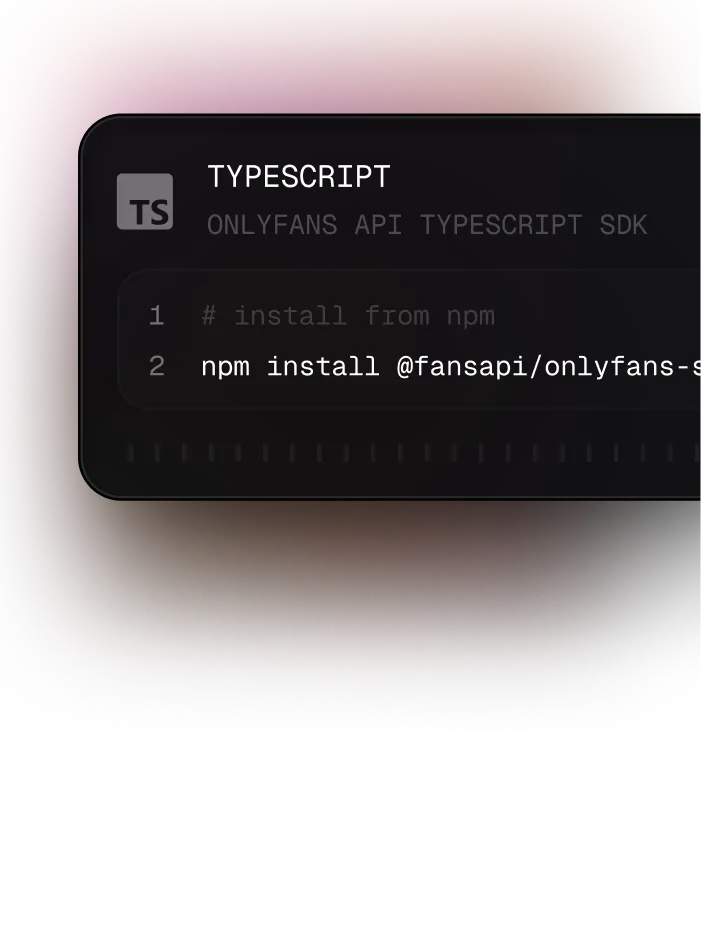
The SDKs wrap the Fans API REST endpoints in typed clients for TypeScript, Python, PHP and Ruby. They read your key from an environment variable and retry timeouts, rate-limit replies and server errors twice with backoff. They are free with any Fans API plan, and the source of each one is public on GitHub.
- Price
- Free with Fans API
- Product
- Fans API
Pros
- Free, with installs from npm, PyPI, Packagist and RubyGems
- Built-in retries and separate error types save boilerplate
- TypeScript runs on Node.js, Deno and Bun; Python has sync and async clients
Cons
- Only four languages, so Go, Java or C# teams call the REST API directly
- A new endpoint can ship before the SDK update, so you sometimes send a custom request
OF Auth npm package
The OF Auth npm package, "@onlyfansapi/auth", adds a ready-made account connection flow to your web app. Your backend creates a client session token with its API key, and one function opens a secure modal where the creator connects their account. It is free, ships TypeScript types and works in React, Vue, Svelte, Angular or plain JavaScript.
 Fans API / Auth


- Price
- Free
- Product
- Fans API
Pros
- Free, small script with one function to call
- Creators connect inside your app, without your team handling their password
- Success and error callbacks return the new account ID straight away
Cons
- Browser JavaScript only, and it still needs a backend to create session tokens
- Covers account connection only; everything after that goes through the API
Webhooks
Webhooks send an HTTP request to your server the moment something happens on a connected account. Fans API lists more than 35 events, including new transactions, tips, subscription renewals and expiries, PPV unlocks, chat queue updates and expired sessions. Fansly and Fanvue events have their own prefixes. Webhooks need the Basic or Pro plan.


- Price
- Fans API plans: free, $69 or $299/mo
- Product
- Fans API
Pros
- Real-time sales and message events without polling the API
- Account problems, such as an expired session, arrive as events too
- Fansly and Fanvue events are picked in the same webhook settings
Cons
- Not on the free plan, so you pay for Basic or Pro before testing them for real
- You host and secure the receiving endpoint, and handle retries and duplicates yourself
AI / MCP connector
The AI / MCP connector is a hosted MCP server that gives Claude, ChatGPT, Manus, Cursor or your own agent the same 320+ tools as the API. You paste the server URL into your AI client, sign in with OAuth and start asking questions about chats, fans and earnings. The free Fans API plan includes it, and scoped API keys can limit what an agent may read or change.



- Price
- Fans API plans: free, $69 or $299/mo
- Product
- Fans API
Pros
- No code needed; operators paste a URL and start prompting
- Covers Fansly and Fanvue tools as well as OnlyFans
- Keys can be read-only or limited to certain creators
Cons
- ChatGPT needs a Pro, Business or Enterprise plan for custom connectors, per the Fans API setup guide
- An agent with write access can send messages, so keys must be scoped with care
FansCreator API / MCP / CLI
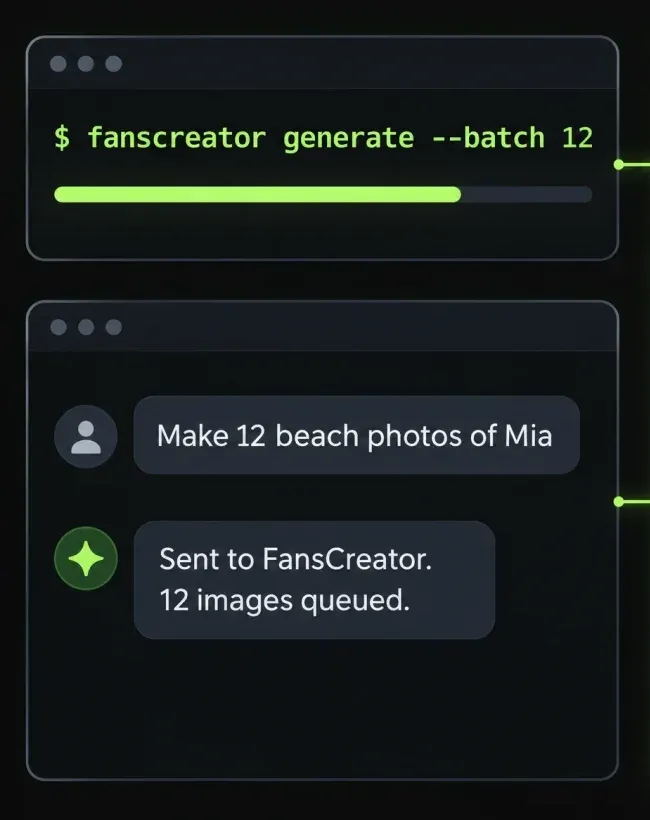
Once they launch, the FansCreator API, MCP server and CLI will let scripts and AI assistants run FansCreator image and video jobs; they are not live yet. Claude, ChatGPT or Codex can write the prompts, send batches and fetch the downloads, while FansCreator does the generation. It is a separate product from Fans API, with its own account and credits.
- Price
- FansCreator plans: $29, $99 or $299/mo
- Product
- FansCreator
Pros
- Three ways in, so developers, terminal users and AI chat users are all covered
- Batch generation for agencies with many creators
- A planned CLI for Claude Code and Codex, plus agent skills
Cons
- Not on the $29 Starter plan; access starts with Basic at $99 a month
- Unlimited Seedream generations on Pro don't apply to API use
How to choose OnlyFans developer tools
Pick OnlyFans developer tools by the job, not by the size of the feature list. Most teams start with one API and one SDK, then add events, account connection or AI access when a real need shows up. The four situations below cover the most common setups.
You are building your own app or dashboard. Start with the OnlyFans API and the OnlyFans API SDKs for your backend language. The free plan is enough to connect one account and build a prototype. Move to Basic or Pro when you need webhooks, more credits or more accounts.
Your creators sell on more than one platform. Add the Fansly API and the Fanvue API to the same key. Each platform keeps its own field formats, so map them into one shape in your own database before you build reports. Ask for Fanvue access early, because it is enabled by hand.
You need things to happen the moment a fan acts. Use OnlyFans webhooks for new sales, tips, messages and expiring subscriptions. They replace polling, which saves credits and gets alerts to your chatters faster. Make your endpoint accept the same event twice without double counting.
Creators connect their own accounts in your product. Drop in the OnlyFans auth npm package instead of building a connection form. Your server creates a client session token, and the creator finishes the flow in a modal you don’t have to design.
When an AI assistant fits better than code
Some teams want answers rather than software. With OnlyFans MCP, an owner or ops lead asks Claude or ChatGPT which fans went quiet or which chatter earned the most this week. Start with a read-only key and add write access only when you trust the results. For content rather than account data, the FansCreator API, once it ships, will let the same assistants run image and video batches.
What each of these OnlyFans developer tools needs
| Tool | What it does | Plan needed |
|---|---|---|
| API for OnlyFans | 320+ endpoints for one platform | Any Fans API plan |
| API for Fansly | Chats, tiers, tracking links, earnings | Any Fans API plan |
| API for Fanvue | Chats, subscribers, earnings | Any plan, after access is enabled |
| SDKs | Typed clients in four languages | Free with Fans API |
| OF Auth npm package | Account connection modal | Free, needs an API key |
| Webhooks | Real-time events to your server | Basic or Pro |
| AI / MCP connector | Data access for AI assistants | Any Fans API plan |
| FansCreator API / MCP / CLI | AI image and video jobs | FansCreator Basic and up |
Questions to ask before you build
- Who will maintain the code a year from now? An API saves license fees but needs a developer on call.
- Which platforms matter in the next six months? Building on one key from the start is cheaper than adding a second vendor later.
- Do you need live events or daily numbers? Daily reports can run on scheduled API calls, while live alerts need webhooks.
- How will you handle creator access? Decide who can create keys, and use scoped keys for agents and contractors.
For tracking and reporting tools that need no code, see OnlyFans analytics.
Frequently Asked Questions
Short answers to the questions agencies ask most.
Which OnlyFans developer tools should I start with?
Start with the API for the platform your creators sell on, plus the SDK for your backend language. Add webhooks when you need to react to sales or messages as they happen. Add the auth package when creators should connect their own accounts inside your app. If nobody on the team writes code, the MCP connector is the easiest way in.
Are these official tools from OnlyFans, Fansly or Fanvue?
No. OnlyFans doesn't offer a public API for creators or agencies, and Fans API is an independent service. It connects to the accounts that creators link through its dashboard or the auth package. Treat it like any third-party integration and decide who on your team may create and use API keys.
Do I need to write code to use these tools?
For most of them, yes. The APIs, SDKs, webhooks and auth package are for developers. The MCP connector is the exception, because an operator can paste its URL into Claude, ChatGPT or Manus and ask questions in plain language. The FansCreator MCP server will work the same way for content jobs once it launches.
How much do these developer tools cost?
Fans API has a free plan with one account and 100 welcome credits, Basic at $69 a month for one account, and Pro at $299 a month for five. The SDKs and the auth package are free, the MCP connector is on every plan, and webhooks need Basic or Pro. The FansCreator API starts with its $99 Basic plan.
Can one integration cover OnlyFans, Fansly and Fanvue?
Yes. Fans API uses one key, one dashboard and one plan for all three, and every connected account is billed the same way. Fansly works out of the box. Fanvue is switched on per team on request, and once it is enabled its endpoints, webhooks and MCP tools appear next to the others.
What is the difference between Fans API and the FansCreator API?
Fans API works with your creators' accounts on the fan platforms, such as chats, fans, sales and payouts. The FansCreator API makes new content, such as AI photos and video of a creator persona. They are separate products with separate accounts. An agency might use both, one to run the accounts and one to fill the content calendar.