Category · 4 tools
OnlyFans Automation Tools for Agencies
OnlyFans automation for an agency means two kinds of work. The first is moving data and reacting to events, such as logging every PPV purchase to a sheet or pinging Slack when a fan subscribes. The second is keeping the inbox in order so chatters message the right fans. The four Fans API tools below cover both. The Make, Zapier and n8n integrations connect your OnlyFans accounts to those workflow builders, so you can build automations without a developer. Housekeeping runs inside Fans API and keeps fan lists fresh on its own.
Top picks
4 tools Make integration
Visual multi-step OnlyFans workflows without code
Fans API plans: free, $69 or $299/mo
- Zapier integration
Connecting OnlyFans to the apps an agency already uses
Fans API plans: free, $69 or $299/mo
- n8n integration
Self-hosted OnlyFans automations
Fans API plans: free, $69 or $299/mo
- Housekeeping
Keeping OnlyFans fan lists sorted without manual work
Add-on per account: free up to $5k creator revenue, then $20 to $100/mo
Make integration
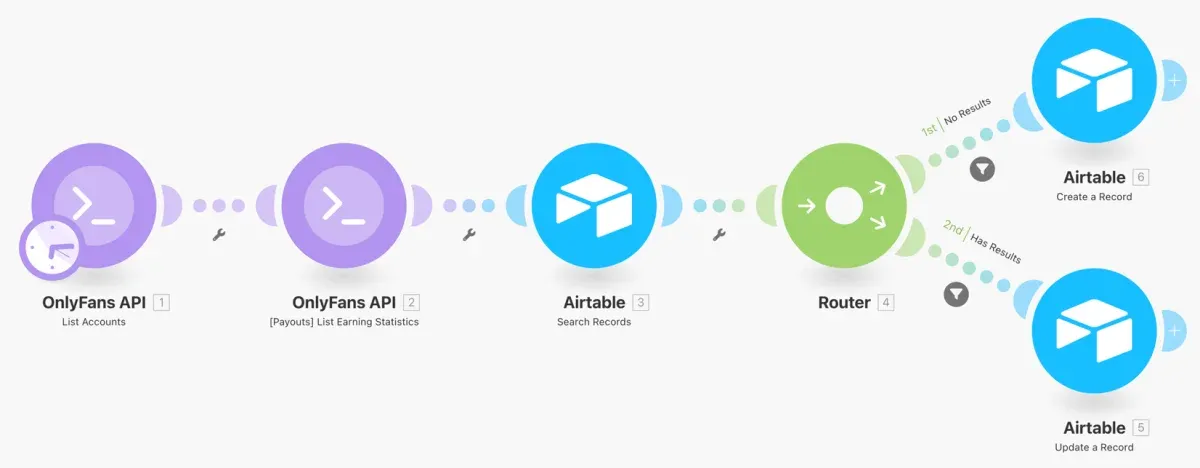
The Make integration adds an OnlyFans API app to Make, the visual scenario builder. It has instant triggers for events like new subscriptions, renewals, received messages and PPV purchases, plus modules that pull earnings, transactions, tracking links and trial links. There are two ready-made blueprints that sync your accounts and hourly revenue into Airtable. A custom API call module reaches any endpoint the built-in modules don't cover.
- Price
- Fans API plans: free, $69 or $299/mo
- Product
- Fans API
Pros
- Visual scenarios make multi-step flows easy to follow and edit
- Ready-made Airtable blueprints you import and run
- Custom API call module for anything the built-in modules miss
Cons
- The built-in modules are mostly triggers and data lookups; other actions need the custom API call
- You need a Make account on top of your Fans API plan
Zapier integration
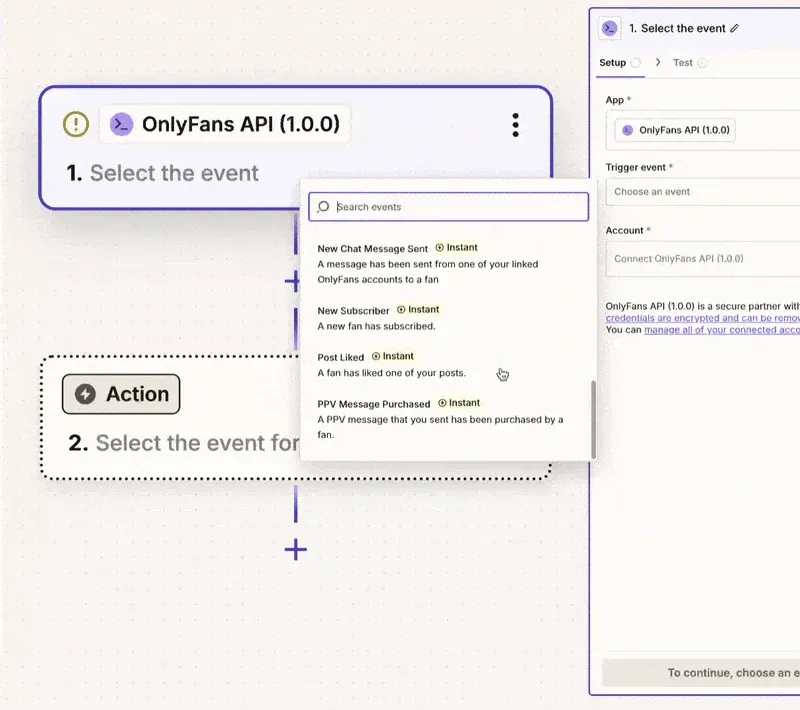
The Zapier integration lets an OnlyFans event start a Zap. Its instant triggers fire on PPV purchases, new subscribers, renewals, sent and received messages, post likes and account problems such as an expired session or a 2FA code request. From there, Zapier's own app library sends the data to the tools your team already uses. You connect it with an API key from the Fans API console.
- Price
- Fans API plans: free, $69 or $299/mo
- Product
- Fans API
Pros
- Fast setup for simple trigger-and-action Zaps
- Large library of apps on the Zapier side to send events to
- Account alerts warn you when a session expires or needs 2FA
Cons
- The integration is triggers only, so Zaps react to OnlyFans events rather than act on OnlyFans
- You need a Zapier account on top of your Fans API plan
n8n integration
The n8n integration is a node that covers every Fans API endpoint, and Fans API calls it its most actively maintained integration. It works on n8n Cloud or on an instance you host yourself. You add the node, save your Fans API key as a credential, and build workflows with branches and custom logic. It is the recommended choice for complex, multi-step automations.







- Price
- Fans API plans: free, $69 or $299/mo
- Product
- Fans API
Pros
- Supports every endpoint, including messaging, fans, media and payouts
- Self-hosting keeps your workflows and data on your own server
- The most actively maintained of the three integrations
Cons
- You need an n8n instance, either n8n Cloud or one you host and maintain
- Only the instance owner can install the node, and the editor takes longer to learn
Housekeeping
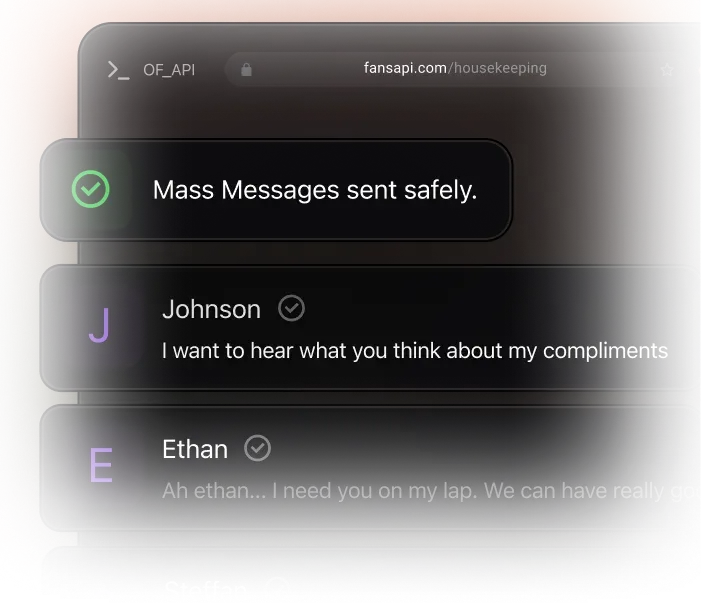
Housekeeping keeps OnlyFans fan lists up to date in the background. It creates default lists such as Currently Chatting, Recent Subs (3 Days), Spenders and Freeloaders on Subscription, and you can add custom lists by spend, recency or subscription state. Chatters then exclude active chats from mass sends and work from the same lists on every shift. It is free for accounts that earned up to $5,000 last month, then $20 to $100 a month per account.
- Price
- Add-on per account: free up to $5k creator revenue, then $20 to $100/mo
- Product
- Fans API
Pros
- Works without building any workflow; set the rules once
- The Currently Chatting list stops mass sends from interrupting live chats
- Free for smaller accounts under $5,000 a month in earnings
Cons
- It sorts fans into lists but doesn't send messages for you
- Billed per connected account, rising to $100 a month for the highest-earning accounts
How to choose OnlyFans automation tools
Start with the work you want off your team’s plate. Most agencies need one of three setups, and some combine two.
Your chatters waste time filtering fans. Use Housekeeping. It needs no workflow builder. Set what counts as “currently chatting”, anywhere from 1 minute to 24 hours, then let the default and custom lists refresh themselves. Ask chatters to exclude the Currently Chatting list from every mass send.
You want OnlyFans events in your other apps. Use the Zapier integration if your team already lives in Zapier. A new subscriber or a PPV purchase can start a Zap that posts to Slack or adds a row to a sheet. Use the Make integration if you prefer to see each step on a visual canvas, or want the ready-made Airtable blueprints for account and revenue data.
You want complex workflows or full control. Use the n8n integration. Its node covers every Fans API endpoint, so a workflow can read data and also act, such as sending a mass message. Host n8n yourself if you want workflows and data on your own server.
How the three integrations differ
| Make | Zapier | n8n | |
|---|---|---|---|
| Instant OnlyFans triggers | Yes | Yes | Yes |
| Built-in data lookups | Earnings, transactions, tracking links | Not documented | Every endpoint |
| Act on OnlyFans | Through the custom API call module | No, triggers only | Yes, every endpoint |
| Ready-made templates | Two Airtable blueprints | None listed | Baserow workflow templates |
| Hosting | Make cloud | Zapier cloud | n8n Cloud or self-hosted |
Where OnlyFans PPV automation fits
PPV work splits into reacting to sales and sending offers. Reacting is the easy part. Make and Zapier both fire an instant trigger when a fan buys a chat PPV, so you can log the sale, tag the fan in your CRM or alert the chatter who sold it. Sending is where the tools differ. n8n can call the mass messaging endpoints directly, and Make can reach them through its custom API call. Whichever you use, Housekeeping lists like Spenders and Freeloaders on Subscription help you aim each send at the right fans.
Questions to ask before you pay
- Which workflow builder does your team already use? Switching builders costs more time than any feature gap.
- Do you only need alerts and reports, or must workflows also act on OnlyFans? Acting points to n8n.
- How many accounts will you connect? Fans API plans and Housekeeping both price per account.
- Who maintains the workflows? A self-hosted n8n instance needs someone to keep it running.
If you need logic none of these modules offer, a developer can use the OnlyFans API and webhooks directly.
Frequently Asked Questions
Short answers to the questions agencies ask most.
What are the best OnlyFans automation tools for an agency?
It depends on the job. For tidy fan lists and safer mass messages, Housekeeping works without building anything. For moving data into Airtable, Sheets or Slack, pick the integration for the workflow builder you already use. n8n is the most complete, since its node covers every Fans API endpoint. Make suits visual scenarios, and Zapier suits quick event alerts.
Can I set up OnlyFans PPV automation without code?
Partly. Make and Zapier both have an instant trigger that fires when a fan buys a chat PPV, so you can log each sale, alert a chatter or update a sheet without code. Sending messages from a workflow needs n8n, whose node covers mass messaging, or the custom API call module in Make. Housekeeping helps on the sending side by keeping the lists you target clean.
Do I need a developer for OnlyFans automation?
Not for the tools on this page. Each integration connects with an API key you create in the Fans API console, and the Make blueprints import as ready-made scenarios. Housekeeping only needs you to set a threshold and pick lists. A developer helps if you want custom logic beyond what the modules offer, through the API directly.
How much do these tools cost?
The three integrations come with Fans API plans. The free plan includes the no-code module with 1 account and 100 welcome credits. Basic costs $69 a month for 1 account and Pro $299 a month for 5 accounts. Make, Zapier and n8n bill separately for their own accounts. Housekeeping is an add-on per connected account, free up to $5,000 in last month's earnings, then $20 to $100 a month.
Is Make, Zapier or n8n better for OnlyFans?
Fans API recommends n8n for complex, multi-step automations because its node supports every endpoint. Make is the simpler visual option and has ready-made Airtable blueprints. Zapier is quickest when you want an OnlyFans event, such as a new subscriber or a PPV purchase, to start an action in another app. Pick the builder your team already knows if it covers your workflow.
Does Housekeeping send mass messages?
No. Housekeeping builds and refreshes fan lists, such as Currently Chatting, Spenders and Recent Subs. Your chatters or your mass message tool then use those lists. The value is in targeting, since a fresh Currently Chatting list lets you leave active conversations out of every mass send.