
FansCreator · AI content generation
NSFW AI Image Generator for OnlyFans Creators
TL;DR
- FansCreator's NSFW AI image generator makes adult photo sets of one consistent persona, either an original AI model or a model trained on your own face.
- Plans cost $29, $99 or $299 a month for 300, 1,500 or 5,000 credits, and a photo of a new AI avatar costs 2 credits.
- Skip it if you want an original AI model on OnlyFans or a photoreal one on Fansly, because neither platform allows it.
- Price
- FansCreator plans: $29, $99 or $299/mo
- Product
- FansCreator
- Platforms
- Output for Fanvue and MYM (AI models), OnlyFans (your own likeness only) and social teasers
- Free trial
- Free plan with no card required; paid plans from $29 a month
What the NSFW AI image generator is
The NSFW AI image generator is a FansCreator tool that makes adult photo sets of one consistent persona. You design an AI model once, or train one on your own face, then prompt each shot with a line of text. Every image keeps the same face and body, which is what lets a subscription page work. Mainstream image tools refuse adult prompts, and free generators change the face in every frame.
FansCreator is built for creators and agencies that sell the output, not for people browsing for fun. It runs on open-weight image models that allow adult content, and it adds per-platform crops and AI-written captions for teaser posts. It sits in our AI content generation category next to video, editing and face swap tools. You can see the product itself on the FansCreator image generator page.
Key features of the NSFW AI image generator
Each feature below answers a problem agencies hit when they try to run an AI persona with general-purpose tools.
Persona lock
You set hair, eye colour, skin tone, ethnicity and body shape once, and every generation after that renders the same character. Subscribers pay for a person they recognise, so a face that drifts between images is a dealbreaker, and this is the main thing that separates FansCreator from a free generator.
Models that don’t refuse halfway
The tool routes adult work to open-weight models, such as Qwen-Image and Z-Image, rather than hosted models that block adult prompts at the source. That matters when a set builds up shot by shot, because a filtered model that refuses the last three images leaves the whole set unfinished.
Photoreal, illustrated or painted
The look is part of the prompt. Ask for a candid phone photo and you get one, or ask for anime or an oil painting and the same character is drawn in that style, so one persona can supply both photo sets and fan art.
Ready-to-post output
FansCreator adds AI-written captions and per-platform crops for OnlyFans, Instagram, TikTok and X, and its pricing table lists social optimisation from the Basic plan up. Full-resolution downloads start on the Basic plan, and you download the files and post them yourself, so nothing reaches an account without your approval.
Works with the rest of FansCreator
Pick the strongest still and animate it with the NSFW AI video generator, which keeps the same face and scene. To fix an outfit or background after a render, use the uncensored AI image editor. If you’re starting from zero, our AI OnlyFans model page covers building the persona itself.
Screenshot
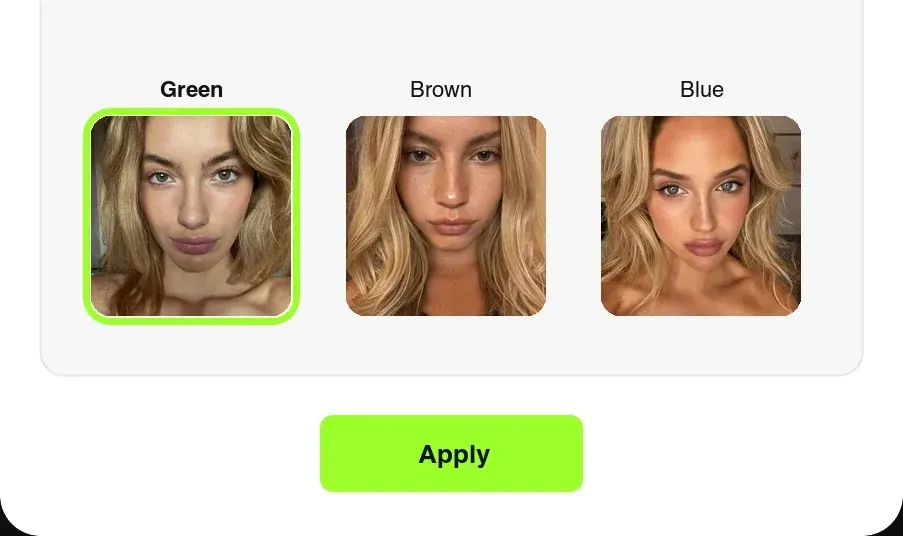
This image is FansCreator’s own illustration of its persona editor, taken from the product site, not a capture from a live account. Each step sets one trait of the model, and the choice you apply is reused in every later generation, which is what keeps the face stable across a whole set.
Is the NSFW AI image generator safe to use?
The NSFW AI image generator blocks the two kinds of content that carry the most legal risk. You can’t generate a real person’s face or likeness without their consent, and deepfakes are blocked outright. You also can’t generate anyone underage or made to look so, and no setting changes that. Inside those lines, an original adult persona is legal to create and sell in most places, but check the law where you operate.
The bigger practical risk is platform rules, not the tool. OnlyFans only allows AI content that clearly shows you, the verified creator, with an #ai or #AIGenerated tag. Wholly AI-generated accounts are not allowed there. Fanvue and MYM accept a labelled AI model, while Fansly bans photorealistic AI even when it is labelled, and because FansCreator never posts for you, every upload remains your decision. FansCreator publishes its reading of these rules in its OnlyFans AI content policy guide. We know of no independent security audit of FansCreator.
Pricing: what each plan’s credits buy
FansCreator sells credits on monthly plans: Starter is $29 for 300 credits, Basic is $99 for 1,500 and Pro is $299 for 5,000. Yearly billing costs ten times the monthly price, for example $990 for Basic. There is also a free plan and a custom Enterprise tier. Check FansCreator pricing for current terms.
Credit costs come from FansCreator’s own pricing page. A photo of a new AI avatar costs 2 credits, and a photo from your creator’s own trained model costs 4. Some photo models cost only 1 credit, 4K output costs more, and a 10-second 720p video costs 46 credits, so the table below uses the 2-credit and 4-credit rates.
| Plan, per month | Starter, $29 | Basic, $99 | Pro, $299 |
|---|---|---|---|
| Credits | 300 | 1,500 | 5,000 |
| New AI avatar photos | 150 | 750 | 2,500 |
| Photos of your own face | 75 | 375 | 1,250 |
| Cost per avatar photo | $0.19 | $0.13 | $0.12 |
| Full-resolution download | No | Yes | Yes |
| Creators | 1 | 5 | Unlimited |
Here is a worked month for an agency on Basic. FansCreator describes a set as 10 to 20 images, so take 20 sets of 15 avatar photos, which uses 600 credits. Animating the best still from 10 of those sets adds 460 credits, and the remaining 440 credits leave room for about 220 retakes or extra shots. Unused plan credits don’t roll over, but top-ups never expire: 250 credits cost $29, 750 cost $79 and 2,000 cost $199.
Who it’s for, and who should skip it
The NSFW AI image generator is for agencies and creators who sell an AI persona, or add AI sets of themselves to a real page. It suits teams running an original AI model on Fanvue or MYM, and OnlyFans creators who want extra labelled sets without a photo shoot. Agencies with several AI personas get the most from the Basic or Pro plan, which allow 5 creators and unlimited creators respectively, compared with 1 on Starter.
Skip it if you planned to run an original AI model on OnlyFans, or a photoreal one on Fansly, because neither platform allows that. Skip the Starter plan if you need sellable files, since it only downloads low resolution. If you need to swap a real creator’s face into existing content, the AI face swap tool fits better.
Pros and cons
Pros
- Persona lock keeps the same face and body across every photo and clip
- Runs on open-weight models that don't refuse adult prompts halfway through a set
- Clear credit pricing, with the exact cost shown before each generation
- The same persona carries over into the video generator and the image editor
- Top-up credits never expire, so a busy month doesn't force an upgrade
Cons
- The $29 Starter plan downloads low resolution only; full resolution starts at $99
- Monthly plan credits don't roll over, so an unused allowance is lost
- OnlyFans bans wholly AI-generated accounts and Fansly bans photoreal AI, so an original AI model can only sell on platforms like Fanvue and MYM
- It makes the images but doesn't post, schedule or sell them; you still run the page yourself
Frequently Asked Questions
Short answers to the questions agencies ask most.
Is there a free NSFW AI image generator plan?
Yes. FansCreator offers a free plan with no card required. It is meant for testing a persona and the workflow, not for running an account. Paid plans start at $29 a month for 300 credits. Full-resolution downloads begin on the $99 Basic plan, so anyone who wants to sell the images should plan for at least that tier.
How many photos do 300 credits buy?
About 150 photos of a new AI avatar, at 2 credits each, or about 75 photos from your own trained model, at 4 credits each. Cheaper photo models cost 1 credit, so the count can be higher. Higher resolutions cost more. FansCreator shows the exact price before you confirm each generation, so you never spend credits blind.
Can I post AI-generated images on OnlyFans?
Only if they clearly show you, the verified creator, and carry an AI tag such as #ai or #AIGenerated. The OnlyFans Help Centre lists wholly AI-generated accounts and content as not allowed. An original AI model therefore belongs on Fanvue or MYM, which accept labelled AI creators. Fansly does not allow photorealistic AI at all.
Will my AI model look the same in every image?
That is the main job of the tool. You design the persona once, and the persona lock renders the same face and body in each photo. Free generators usually give you a new face per image, which can't carry a subscription page. The same persona also works in FansCreator's video generator.
Do I own the images it generates?
FansCreator says the content you generate is yours to post and monetize on any platform whose rules it meets. Read the current terms before you sign up, and check each platform's AI rules before posting. Ownership does not override a platform ban, so a wholly AI account still can't go on OnlyFans.
Can it make illustrated or anime images?
Yes. Name a style in the prompt, such as anime, comic or oil painting, and the generator draws your character in that style. The persona stays fixed, so a painted set and a photoreal set show the same character. That helps if you sell fan art alongside photo sets.
Verdict
The NSFW AI image generator is worth it if you run an AI model on Fanvue or MYM, or add AI sets of yourself to an OnlyFans page, and need the same face in every image. Budget for the $99 Basic plan if you plan to sell the output, because Starter only downloads low resolution. If your business depends on an original AI persona on OnlyFans, no tool fixes that, since the platform doesn't allow it.
Best for: Uncensored photo sets for creators and AI models