Category · 3 tools
OnlyFans Analytics and Tracking Tools
OnlyFans analytics inside the creator dashboard tells you what happened on one account. An agency usually needs more than that. It needs to know which ad or link brought each paying fan, whether that fan kept spending after the first month, and how to get the numbers into its own reports. The three Fans API tools below each cover one part of that job. Smart Links tracks fans from the click to their last tip. Meta ads tracking sends those conversions back to your Meta pixel. Data exports turns account data into spreadsheet files without any code.
Top picks
3 tools Data exports (no code)
Getting OnlyFans data into spreadsheets without code
Fans API plans: free, $69 or $299/mo
- Smart Links
Media buyers who need to see which ad brought which paying fan
Add-on per team: $25/mo
- Meta ads tracking
Feeding real OnlyFans conversions back to the Meta pixel
Included in the Smart Links add-on ($25/mo per team)
Data exports (no code)
Data exports is the no-code way to get OnlyFans data out of the platform and into a spreadsheet. You choose an export type, the accounts, the fields and a date range, and Fans API builds a CSV or Excel file. There are twelve export types, including transactions, payouts, fans, chat messages and profile visitors. Most exports cost 1 credit per 20 rows, and you see the cost before you start.


- Price
- Fans API plans: free, $69 or $299/mo
- Product
- Fans API
Pros
- No code needed, though the API can run the same exports when you want them on a schedule
- Covers money, fans and chats, so one tool feeds accounting, payroll and reports
- The credit cost is shown before each export runs
Cons
- Files are downloads, not a live sync, so you still import them yourself
- Works with OnlyFans accounts only, and large exports can take hours
Smart Links
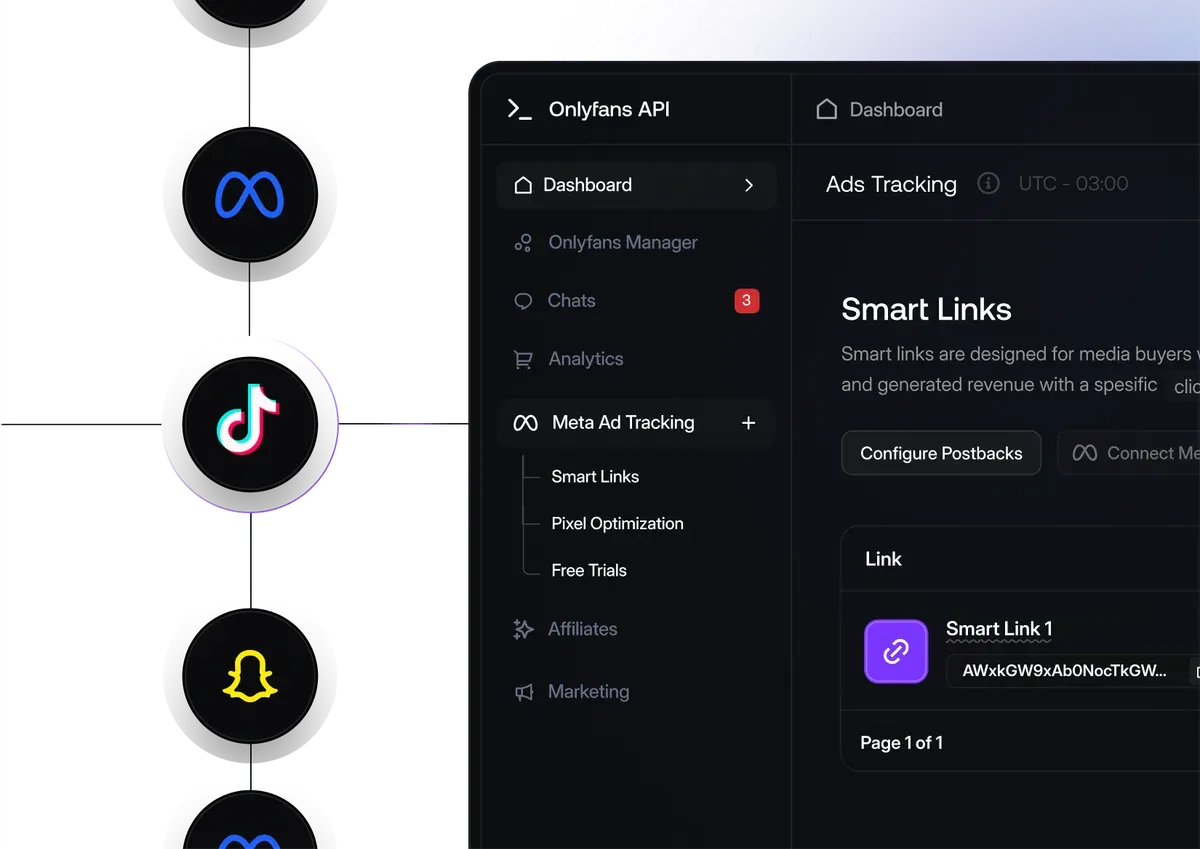
Smart Links replaces the plain profile link in your ads and bios with tracked links. Each fan who subscribes is tied to the link that sent them, and their later PPV purchases, tips and rebills are added to that link too. It imports ad spend and shows a True ROAS per campaign, creative or traffic source. It costs $25 a month per team on top of a Fans API account.
- Price
- Add-on per team: $25/mo
- Product
- Fans API
Pros
- Follows revenue after the first subscription, not just the signup
- Server-side tracking that ad blockers and browser privacy settings don't break
- One flat price per team, whatever your ad budget
Cons
- A paid add-on that needs a Fans API account
- Measures traffic but doesn't bring any; you still buy and run the ads
Meta ads tracking
Meta ads tracking is the Meta side of Smart Links. It sends real OnlyFans events, such as a new subscription, a purchase or a fan who sent three or more messages, to your Meta pixel through the Conversions API. Meta then optimizes your campaigns for fans who pay instead of people who click. It is included in the Smart Links add-on, so there is no separate charge.

- Price
- Included in the Smart Links add-on ($25/mo per team)
- Product
- Fans API
Pros
- Meta learns from subscriptions and purchases rather than link clicks
- Events go server-side, so browser blockers don't drop them
- No extra cost if you already pay for Smart Links
Cons
- Only useful if you run Meta campaigns for your creators
- The pixel needs event volume, so small budgets may wait weeks for results
How to choose an OnlyFans analytics tool
Start with the decision you want the numbers to support. Most agencies end up with one of three setups.
You buy traffic and need to know what works. Use OnlyFans tracking links with Smart Links. Give every creative, campaign and traffic source its own link, then compare them by revenue per fan rather than by clicks. Wait until each link has enough subscribers before you cut or scale it.
You run Meta campaigns. Add Meta pixel tracking on top of Smart Links. It costs nothing extra, and it lets Meta optimize for subscriptions and purchases. Expect Events Manager to take a few days to show new events, and give the pixel enough volume before you judge the results.
You need data for the back office. Use OnlyFans data export for monthly transactions, payouts and chatter reports. Pick only the fields you need, keep the date range tight, and save the files where your accountant or BI tool can find them.
Questions to ask before you pay
- Do you spend money on ads today? If not, tracking tools have little to measure yet, and Data exports covers most reporting needs.
- Which platforms do your creators sell on? These tools cover OnlyFans, and the tracking tools also cover Fanvue.
- Who reads the numbers? A media buyer wants ROAS per campaign. An owner or accountant wants files they can open in a spreadsheet.
- How fresh must the data be? Exports are snapshots. If you need live numbers, a developer can use the OnlyFans API and webhooks instead.
OnlyFans fan analytics without a CRM
You don’t need a full agency CRM to see which fans are worth the most. Smart Links shows spending per fan for every link, and a fans or transactions export gives you the full history to sort in a sheet. Together they answer the two questions most agencies care about: where good fans come from, and how much they spend over time.
Frequently Asked Questions
Short answers to the questions agencies ask most.
What is the best OnlyFans analytics tool for an agency?
It depends on the question you need answered. If you buy ads and want to know which ones bring paying fans, start with Smart Links. If you run Meta campaigns, turn on Meta ads tracking as well, since it comes with Smart Links. If you mainly need account data in spreadsheets for accounting or payroll, Data exports is the cheaper and simpler choice.
Does OnlyFans have built-in analytics?
Yes. The creator dashboard shows earnings, subscribers, profile stats and the results of OnlyFans campaign links for each account. It doesn't follow a fan's spending back to an ad, send events to ad platforms, import ad spend or combine many creators into one report. Agencies add tools like the ones on this page for those jobs.
Can I see OnlyFans profile stats for all my creators in one place?
Data exports can pull the same kind of data, such as transactions, fans and profile visitors, for several connected accounts into one file. You then build the combined view in a spreadsheet or BI tool. It is a file export rather than a live dashboard, so you repeat the export when you want fresh numbers.
How does OnlyFans tracking work for paid ads?
You put a tracked link in the ad instead of the plain profile address. When a fan clicks and subscribes, the tracking tool records which link sent them, then keeps adding their purchases and tips to that link. Smart Links does this server-side and can send each conversion to Meta, TikTok, Snapchat or your own tracker.
Are there creator analytics tools for Fansly and LoyalFans?
Not among these three. Smart Links and Meta ads tracking support OnlyFans and Fanvue, and Data exports works with OnlyFans accounts only. LoyalFans isn't supported by any of the tools listed here. For Fansly, Fans API offers a separate API that a developer can use to build their own reports.
How much do these OnlyFans analytics tools cost?
Smart Links costs $25 a month per team and includes Meta ads tracking. Data exports uses Fans API credits, mostly 1 credit per 20 rows. All three need a Fans API account, which has a free plan and paid plans at $69 and $299 a month. Check the current pricing before you sign up.