
Fans API · No-code automation
OnlyFans Housekeeping by Fans API
TL;DR
- OnlyFans Housekeeping is a Fans API add-on that sorts fans into lists by chat activity, spending and subscription age, and keeps those lists fresh in the background.
- It costs $0 for an account that earned up to $5,000 last month, then $20 to $100 a month per account, by revenue tier.
- Skip it if you need software that writes or sends messages, because Housekeeping only builds the segments your team sends to.
- Price
- Add-on per account: free up to $5k creator revenue, then $20 to $100/mo
- Product
- Fans API
- Platforms
- OnlyFans accounts connected to Fans API (web dashboard)
- Free trial
- No trial; free for accounts that earned up to $5,000 last month
What OnlyFans Housekeeping is
OnlyFans Housekeeping is a Fans API add-on that sorts each creator’s fans into lists and keeps those lists current on its own. It watches chat activity, spending, subscription age and renewals, then updates the lists in the background, so chatters open the account and find the day’s targeting already done.
The problem it fixes is simple: before a mass message, someone has to filter fans by hand, and the next shift does the same work again. Housekeeping moves that work into rules you set once. It sits in our OnlyFans automation category, where the other tools connect OnlyFans to outside apps, like the OnlyFans Zapier integration. Housekeeping works inside OnlyFans itself, on the fan lists your team already uses every day.
Key features
Housekeeping does one job: it keeps fan segments correct so chatters can trust them without checking. These are the parts that matter in daily agency work. The full feature list is on the Housekeeping product page.
A live Currently Chatting list
Housekeeping keeps a list of fans who are chatting right now, and you decide what “right now” means, anywhere from 1 minute to 24 hours. Chatters exclude this list from mass sends, so live conversations stay personal and don’t get interrupted by a broadcast.
Six default lists
You don’t start from scratch. Housekeeping creates Currently Chatting, Recent Subs (3 Days), Freeloaders (under 45 days), Freeloaders (45+ days), Spenders and Freeloaders on Subscription. The last list is useful for upsells, because it holds paid subscribers who have never spent extra on tips, PPVs, posts or streams.
Custom lists for your own playbook
You can create, edit and delete your own lists, for example Whales, Dolphins and Fishes. Set a total-spend range and a subscription-day range, and Housekeeping fills the list and keeps it current. The product page also lists recency windows, such as last message or last purchase, and renewal state as criteria you can combine.
The same lists on every shift
Every chatter works from the same lists, so a shift handoff doesn’t start with re-filtering. New chatters follow the same segments as everyone else from their very first shift. Predefined lists repair themselves after an error, and custom lists repair when you click them.
Team permissions
Fans API team roles decide who can touch the rules. Owners, Admins and Members can start and configure Housekeeping, while Developers and Viewers can only see it. That keeps list rules stable when contractors or junior chatters have dashboard access.
Example: Housekeeping on one creator account
This is how one account goes from manual filtering to working lists, using the steps from the product page. The account and thresholds below are an example, and you set your own values.
- Connect the creator’s OnlyFans account to Fans API. No developer is needed.
- An Owner, Admin or Member starts Housekeeping for that account.
- Set the Currently Chatting threshold. For example, choose 30 minutes, so anyone active in the last half hour lands on that list.
- Housekeeping creates the six default lists on the account and starts filling them.
- Add a custom list called Whales, with a total-spend range that fits your agency’s idea of a top spender.
- Before tonight’s mass message, the chatter targets Freeloaders on Subscription and excludes Currently Chatting.
- The lists keep refreshing in the background. The morning shift opens the same lists, already up to date.
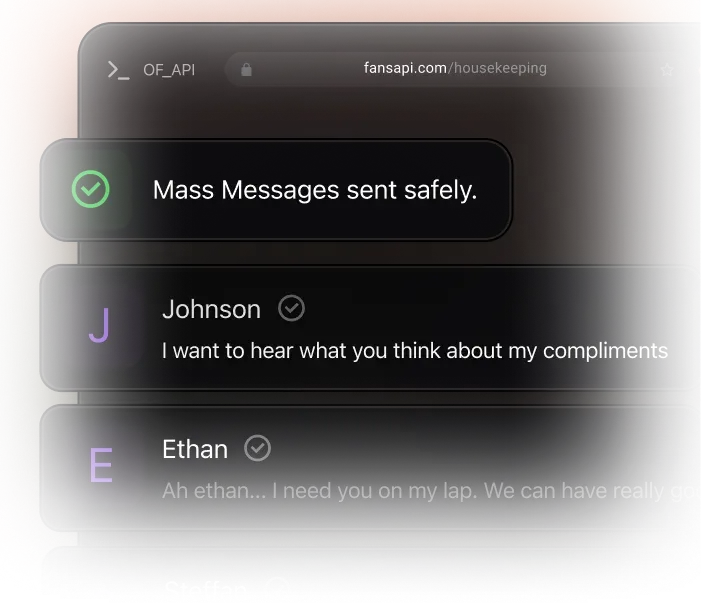
The image above is the illustration Fans API uses for step 6, the safer mass send. It is a product graphic, not a screenshot of a real account. We could not find a published screenshot of the Housekeeping screen itself, so we don’t show one.
Is OnlyFans Housekeeping safe?
Housekeeping is as safe as the Fans API connection it runs on. It works through the creator account you already connected, and its only job is to keep fan lists up to date. Fans API says it has run for five years with zero banned connected accounts, but we know of no independent audit that confirms this.
The bigger risk is internal: a wrong custom rule puts the wrong fans in a segment, and the next mass send then goes to the wrong people. Limit who can configure Housekeeping with team roles, and check a new custom list before you send to it. The add-on can also be switched off for an account, and billing stops when it is off.
Pricing
OnlyFans Housekeeping is billed per connected account, and each account’s price depends on what it earned last month. It is included at $0 up to $5,000, and Fans API says no credit card is needed to start. See the Housekeeping pricing table for current terms.
| Last month’s earnings per account | Price per account |
|---|---|
| $0 to $5,000 | $0 (included) |
| $5,001 to $10,000 | $20 / month |
| $10,001 to $30,000 | $40 / month |
| $30,001 to $70,000 | $70 / month |
| $70,001 to $150,000 | $90 / month |
| $150,001 and up | $100 / month |
Here is a worked example with invented earnings. An agency runs three creators: one earned $4,000 last month, one earned $12,000 and one earned $80,000. Housekeeping costs $0 + $40 + $90, so $130 a month in total. If the second creator drops to $9,000 next month, that account moves to the $20 tier on its own.
The add-on sits on top of your Fans API account. Fans API has a free plan, paid plans from $69 a month, and per-account pricing that falls as you add accounts; see Fans API pricing.
Who it’s for, and who should skip it
Housekeeping suits OnlyFans agencies with chatters on shifts who send mass messages to segments. It pays off most when several people work one account, because they all see the same lists. It also helps with onboarding, since a new chatter gets ready-made segments instead of a long SOP about filters.
Skip it if your creators are on Fansly, because the sources only describe OnlyFans lists. Skip it as well if you want something that writes or sends messages, because Housekeeping only sorts fans. For workflows that react to events, such as posting each new subscriber to Slack, an integration fits better. The OnlyFans Make integration page covers multi-step scenarios of that kind.
Pros and cons
Pros
- Six ready-made lists from day one, including a live Currently Chatting list
- You choose what "currently chatting" means, from 1 minute to 24 hours
- Custom lists such as Whales or Dolphins, built from spend and subscription ranges
- Every chatter on every shift works from the same lists, with no re-filtering at handoff
- No developer needed; you connect an account, set the rules and switch it on
Cons
- Billed per connected account, so a roster of high earners can cost up to $100 a month per account
- It sorts fans but sends nothing; mass messages and replies are still your team's job
- Custom lists are limited to the criteria Housekeeping offers, such as spend, recency and subscription state
- The sources describe OnlyFans lists only and say nothing about Fansly accounts
Frequently Asked Questions
Short answers to the questions agencies ask most.
What does "currently chatting" mean in Housekeeping?
You set the threshold yourself. A fan counts as currently chatting if they were active within the window you choose, anywhere from 1 minute to 24 hours. The product page uses 30 minutes as its example. Teams exclude this list from mass messages, so a fan who is in the middle of a one-to-one conversation doesn't get a generic blast at the same moment.
Which default lists does Housekeeping create?
It creates six lists. They are Currently Chatting, Recent Subs (3 Days), Freeloaders (under 45 days), Freeloaders (45+ days), Spenders, and Freeloaders on Subscription. The last one holds paid subscribers who haven't spent anything extra on tips, PPVs, posts or streams. You can add your own custom lists next to them.
How is OnlyFans Housekeeping priced?
It is billed per connected account, not per user. Each account's tier depends on its own earnings last month. Up to $5,000 is included at no charge. After that the price is $20, $40, $70, $90 or $100 a month, and an account moves between tiers on its own when its earnings change.
Who on my team can change Housekeeping settings?
Fans API team roles control it. Owners, Admins and Members can start and configure Housekeeping. Developers and Viewers can see it but can't change it. That lets you give chatters or contractors read access without letting them rewrite the list rules your agency relies on.
Does Housekeeping send messages for me?
No. Housekeeping builds and refreshes fan lists. Your chatters, or a separate tool, still write and send the messages. If you want an event in OnlyFans to start an action in another app, look at the Fans API integrations for Zapier, Make or n8n instead.
Verdict
Housekeeping is worth switching on for any agency whose chatters filter fan lists by hand before each mass message. It is free for accounts under $5,000 a month, so smaller creators cost nothing to try. For bigger accounts the fee rises with revenue, which is easier to justify there because a mistargeted mass send costs more. It won't write or send anything, so pair it with your chatters or a messaging tool.
Best for: Keeping OnlyFans fan lists sorted without manual work