
FansCreator · AI content generation
AI Face Swap for OnlyFans Creator Photos
TL;DR
- FansCreator's AI face swap puts one face, your own or your AI persona's, onto a photo and keeps the scene, pose and clothes as they are.
- It runs on the shared FansCreator plans, $29, $99 or $299 a month for 300, 1,500 or 5,000 credits, and full-resolution downloads start at $99.
- Skip it if you want to swap anyone else's face, or if you sell on Fansly, which bans face-swapped content even when it is labelled.
- Price
- FansCreator plans: $29, $99 or $299/mo
- Product
- FansCreator
- Platforms
- Photos for OnlyFans (your own face only), Fanvue and MYM; crops for Instagram, TikTok and X
- Free trial
- Free plan with no card required; paid plans from $29 a month
What the AI face swap is
The AI face swap is a FansCreator tool that takes one face and places it on the person in another photo. It matches the angle, lighting and skin tone so the result reads as a single picture, which fixes a common problem for creators: the scene, outfit and pose are right, but the face isn’t the one your subscribers pay to see.
Mainstream face swap apps are built for memes and refuse adult photos, while FansCreator is built for adult creators and agencies, so a suggestive or explicit photo is processed like any other. The one hard rule is consent: the face has to be yours, your AI persona’s, or an adult’s who gave you consent you can prove. The tool sits in our AI content generation category with the image, video and editing tools. Clips are handled by the AI video face swap, so this page covers photos only.
Key features of the AI face swap
Face only, or face and hair
You choose how much of the person to replace: take the face alone, or the face and the hair together, and the scene, pose and clothes stay exactly as they were. Swapping the hair as well helps when your persona has a distinctive hairstyle that the original photo doesn’t share.
Character swap for whole-person changes
Sometimes the body in the original photo doesn’t match your persona, and a replacement face alone would look unconvincing. Character swap replaces the whole person, including face, hair and body, while keeping the pose, outfit and setting, and the same consent rule applies to both modes.
Your own photos or generated ones
You can swap onto a photo you generated in FansCreator or one you upload yourself. That lets you reuse strong shots from a past shoot with your persona’s face, or fix a generated image where the face drifted, and the best candidates are photos with one clear, well-lit face.
Ready-to-post downloads
The swapped photo comes back ready to download, with social crops for OnlyFans, Instagram, TikTok and X on the Basic and Pro plans. FansCreator never posts for you, so each file is uploaded by hand and nothing reaches an account without your approval.
Works with the rest of FansCreator
Build the persona first on our AI OnlyFans model page, or generate fresh scenes with the NSFW AI image generator. After a swap, change the outfit or background by prompt in the uncensored AI image editor.
Screenshot
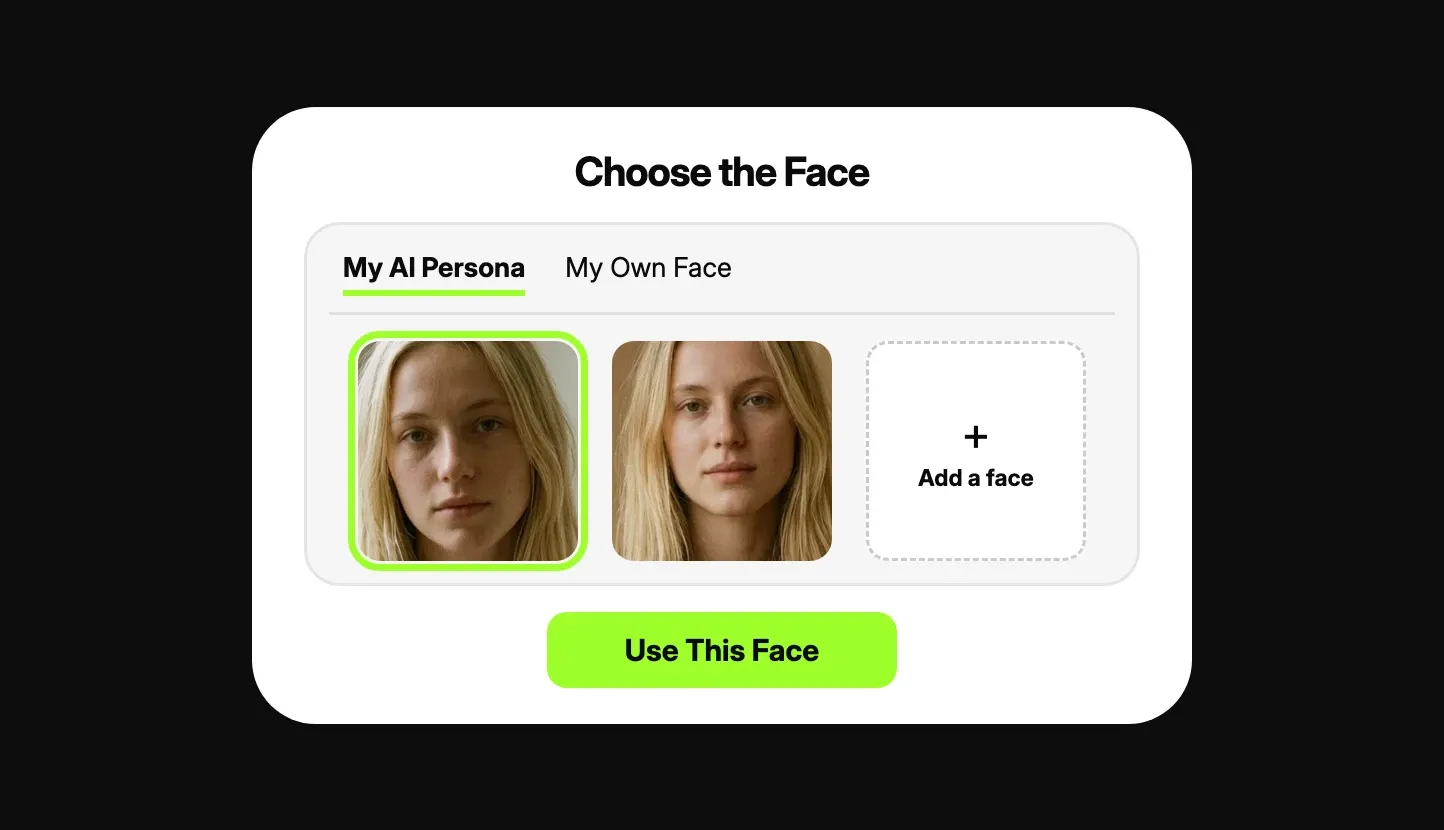
This is a marketing illustration from FansCreator’s own site, not a screenshot of a live account. It shows the first step of a swap, where you pick a face from the My AI Persona or My Own Face tab or add a new one, before you choose the photo and press Swap Face.
Is the AI face swap safe to use?
The tool is designed around consent, and that is where most of its legal risk sits. You may use your own face, your AI persona’s face, or the face of an adult whose consent you can prove, and anyone else is off limits, celebrities included. FansCreator’s terms ban sexual content of a real person without a valid consent record, and they cover composites and lookalikes as well. Anyone underage, or made to look so, is blocked outright.
These restrictions protect you as much as the people appearing in the photos. Non-consensual deepfake imagery is illegal in a growing number of countries and gets a FansCreator account closed, and the photo you swap onto has to be yours too, so don’t borrow someone else’s shoot.
Platform policies are the second consideration. OnlyFans allows only your own face, as the verified creator, labelled #ai or #AIGenerated. Fanvue allows face swaps if the real person behind the AI is verified, while MYM allows a deepfake of a real person only with written permission, and Fansly bans face-swapped content even when labelled. FansCreator quotes these rules in its OnlyFans AI content policy guide. We know of no independent security audit of FansCreator.
Pricing
Face swapping has no separate price; it draws from the same credit allowance as every other FansCreator feature: Starter is $29 a month for 300 credits, Basic is $99 for 1,500 and Pro is $299 for 5,000. There is also a free plan with no card required, and a custom Enterprise tier. Check FansCreator pricing for current terms.
FansCreator publishes credit prices for photo and video generation, but not a fixed price per face swap. It says the exact price appears before you confirm each generation, so verify it on a test swap before estimating a monthly budget. For reference, a photo of a new AI avatar costs 2 credits and a photo from your own trained model costs 4.
| Plan, per month | Starter, $29 | Basic, $99 | Pro, $299 |
|---|---|---|---|
| Credits | 300 | 1,500 | 5,000 |
| Full-resolution download | No | Yes | Yes |
| Creators | 1 | 5 | Unlimited |
| Social crops | No | Yes | Yes |
Unused plan credits don’t roll over to the next month, but top-up packs never expire: 250 credits cost $29, 750 cost $79 and 2,000 cost $199. If your monthly swap volume varies considerably, a smaller plan combined with occasional top-ups can cost less than a permanent upgrade.
Who it’s for, and who should skip it
The AI face swap is for creators and agencies that need one face to stay consistent across many photos. It suits OnlyFans creators who want to reuse old shoots with an updated look, and agencies running an AI persona on Fanvue or MYM. It also helps fix generated sets where the face drifted between images, and agencies with several personas get more from Basic or Pro, which allow 5 and unlimited creators.
Skip it if you hoped to swap in a face you don’t have rights to, because FansCreator blocks it and the law may treat it as a crime. Skip it as well if you sell mainly on Fansly, which bans face-swapped content. If you need to swap faces in clips rather than photos, the video face swap tool is the better fit.
Pros and cons
Pros
- Adult photos are swapped, not refused or blurred, unlike meme face swap apps
- Choose face only, or face and hair, while the pose, outfit and setting stay the same
- Character swap replaces the whole person when the body in the photo doesn't match
- Consent rules are written into the terms, which protects your account as well as the people involved
- Works in the same workspace as the image generator, video tools and image editor
Cons
- One face per photo; group shots with several faces and GIFs are not supported
- FansCreator doesn't publish a fixed credit price per photo swap, so plan your budget from the price shown before each job
- The $29 Starter plan downloads low resolution only; full resolution starts on the $99 Basic plan
- Platform rules limit where results can go; OnlyFans accepts only your own face and Fansly accepts none
Frequently Asked Questions
Short answers to the questions agencies ask most.
Is there a free AI face swap plan?
Yes. FansCreator has a free plan with no card required. It is meant for testing the swap and the workflow, not for running an account. Paid plans start at $29 a month for 300 credits, with full-resolution downloads from the $99 Basic plan. Anyone who wants to sell the swapped photos should budget for Basic or higher.
Can I swap a celebrity's or another person's face?
No. FansCreator only allows your own face, your AI persona's face, or the face of an adult whose consent you can prove. There is no exception for public figures, and its terms say it screens content to detect depictions of them. Putting a real person into sexual content without consent is a crime in a growing number of countries.
What is the difference between face swap and character swap?
A face swap replaces only the face, or the face and the hair, and keeps the body, pose, outfit and setting. A character swap replaces the whole person in the scene with your persona while keeping the pose, outfit and setting. Use face swap when the body already matches your persona, and character swap when it doesn't.
Can I post face-swapped photos on OnlyFans?
Only with your own face, as the verified creator, on a photo that belongs to you, and labelled #ai or #AIGenerated. A persona's face doesn't clearly feature you, so that content belongs on Fanvue, with the real person behind the AI verified, or on MYM. Fansly does not allow face-swapped content at all, even with a label.
Can I swap faces in a video or a GIF?
Video, yes, through a separate tool that handles clips up to 30 seconds with one person in them. GIFs are not supported. Photos with several faces are not supported either, so the tool works best on shots with a single person in the frame.
What happens to the face data I upload?
FansCreator's privacy policy says it stores facial measurements as part of each face asset so it can reproduce the likeness. The data is kept while you keep the asset and deleted when you delete the asset or your account. The policy says it is not used for facial recognition, tracking or training general AI models.
Verdict
The AI face swap is worth it if you need one recognisable face across a set of photos, either your own for OnlyFans or your AI persona's for Fanvue or MYM. Start on the free plan to test the quality, then move to Basic at $99 if you plan to sell the results, because Starter downloads only low resolution. If you planned to swap in a face you don't have rights to, this tool and the law both say no.
Best for: Putting one consistent face on new photos