
FansCreator · AI content generation
AI Video Face Swap by FansCreator
TL;DR
- The FansCreator AI video face swap places your own face, or your AI persona's, onto the person in a video of up to 30 seconds.
- It runs on the same credits as the other FansCreator tools, with plans at $29, $99 or $299 a month, and the app shows each swap's price before you confirm.
- Skip it if you need to swap someone else's face, or if you plan to post a persona's face on OnlyFans or Fansly, because neither platform allows that.
- Price
- FansCreator plans: $29, $99 or $299/mo
- Product
- FansCreator
- Platforms
- Browser app; downloads formatted for OnlyFans, Fanvue and social platforms
- Free trial
- FansCreator advertises video face swap on its free plan, with no card required
What the AI video face swap is
The FansCreator AI video face swap places a face you are entitled to use onto the person in a short video. You choose the face, either your own or your AI persona’s, then choose the clip, and the tool replaces it frame by frame while preserving the original sound and motion. It belongs to FansCreator, an AI content studio, and appears in our AI tools for OnlyFans category.
The tool exists because mainstream face swap applications are designed for entertainment and refuse adult clips outright. FansCreator processes adult video like any other footage, with one condition: the face must belong to you, to your persona, or to someone whose consent you can document. This page covers video exclusively, and our separate AI face swap page covers still pictures.
Key features of the AI video face swap
The tool performs one narrow job, correcting the face on a clip you already have, and each feature below follows directly from that purpose.
Your own uploads or generated clips
You can upload a video you recorded yourself or select a clip you previously generated inside FansCreator. The second option pairs naturally with the tool on our NSFW AI video generator page, because a generated clip with a drifting face can be corrected afterwards instead of rendered again.
Two categories of face
The face picker offers one tab for your AI persona and another for your own face. Personas originate in the AI OnlyFans model tool, which means the identical face appears consistently in your photo sets and in your swapped clips.
Original sound, no watermark
The swapped video keeps its original audio, and FansCreator says it adds no watermark on any plan. FansCreator says the free plan exports at 720p and paid plans go up to 1080p, though its pricing table lists low-res downloads for Starter. FansCreator states that a swap is ready in a minute at most, although we haven’t independently measured the processing time.
Character swap for the entire person
When the body in a clip doesn’t resemble your persona, a face swap alone won’t look convincing to subscribers. Character swap replaces the entire person while preserving the scene, and exactly the same consent requirement applies to it.
Screenshot
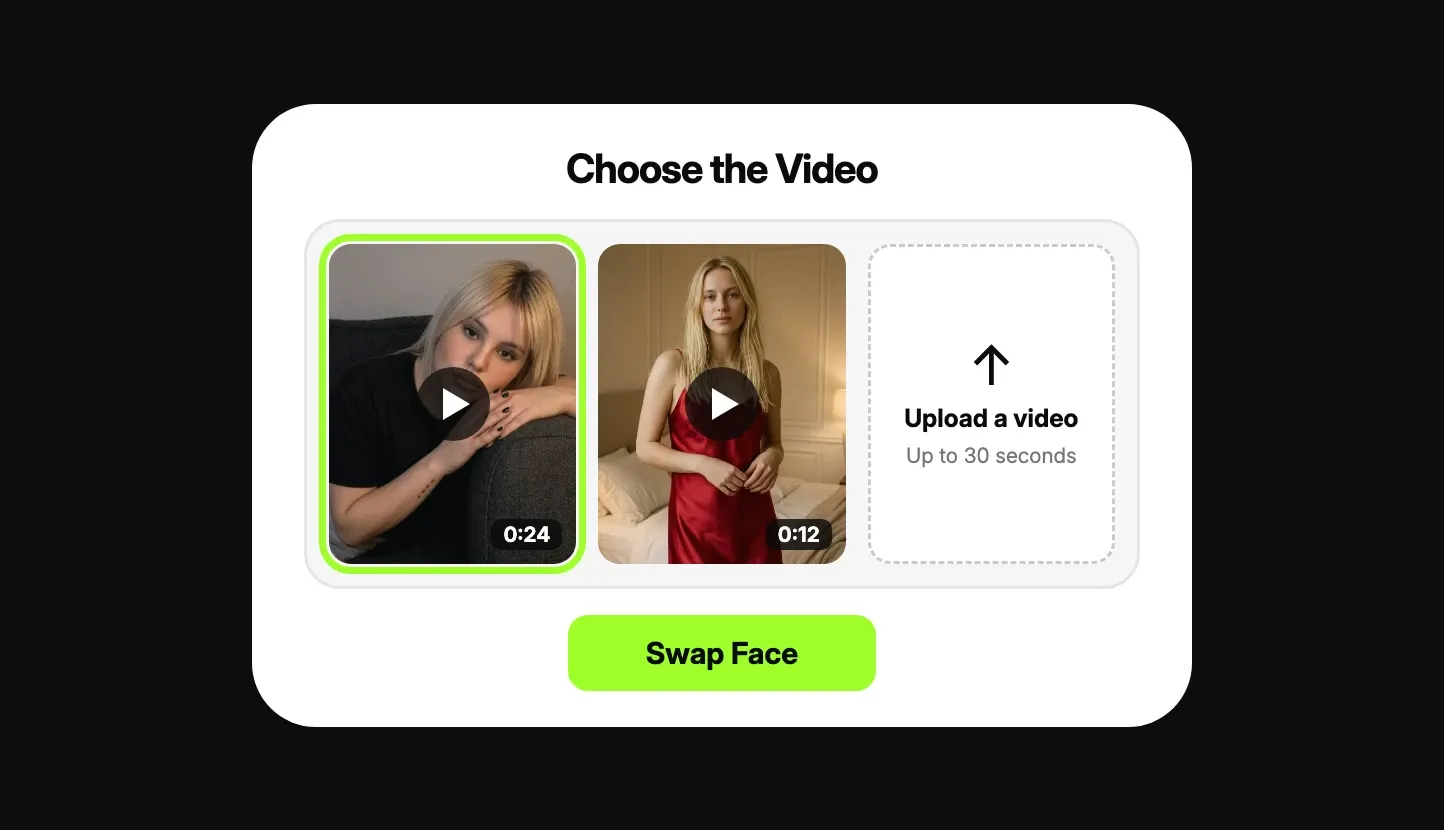
This is a marketing illustration from the FansCreator product page, not a screenshot of the live application. It shows the second step, where you select a clip from your library or upload a new one of up to 30 seconds, then press Swap Face. The first step, choosing the face, uses the same layout with separate tabs labelled My AI Persona and My Own Face.
Is the AI video face swap safe to use?
The most serious risk with any video face swap is consent, and FansCreator takes an uncompromising position on it. You may only use your own face, your persona’s face, or the face of a person whose consent you can demonstrate. Its Terms of Use require a consent record for every real individual and explicitly prohibit non-consensual deepfake content. Any video depicting someone underage, or someone made to appear underage, is also prohibited.
FansCreator says it screens uploaded material to detect public figures. It also stores facial measurements derived from your reference images as part of each face asset, and deletes them when you delete the asset or close your account. We know of no independent audit that verifies how reliably that screening works in practice.
Platform rules determine where a finished clip can appear. OnlyFans accepts only your own face, as the verified creator, labelled #ai or #AIGenerated. Fanvue permits face swaps once the real model behind the AI is verified, and MYM permits a real person’s likeness only with that person’s written permission. Fansly prohibits face-swapped content even when it is labelled, and FansCreator quotes the relevant OnlyFans clauses on its OnlyFans AI content policy page.
Pricing
Video face swap draws on the same monthly credit plans as every other FansCreator tool. Starter costs $29 a month for 300 credits and one creator, Basic costs $99 for 1,500 credits and five creators, and Pro costs $299 for 5,000 credits and unlimited creators. Yearly billing costs ten times the monthly price, and the FansCreator pricing table shows the current details.
| Plan | Price per month | Credits | Creators | Notes |
|---|---|---|---|---|
| Free | $0 | Not published | Not published | 720p export, no card required |
| Starter | $29 | 300 | 1 | Pricing table lists low-res downloads |
| Basic | $99 | 1,500 | 5 | Full-resolution downloads |
| Pro | $299 | 5,000 | Unlimited | Full-resolution downloads |
FansCreator doesn’t publish a fixed credit price for a video face swap. It says the cost depends on the selected model and the duration of the clip, and the application displays the exact price before you confirm each swap. If your allowance runs out, one-off top-ups cost $29 for 250 credits, $79 for 750 or $199 for 2,000, and purchased top-up credits never expire.
One detail deserves checking before you pay for a subscription. The face swap page says paid plans export up to 1080p, but the pricing table lists only low-resolution downloads for Starter. If your clips are intended for paying subscribers, test an export on Starter first or begin directly on Basic.
Who it’s for, and who should skip it
The AI video face swap is designed for creators and agencies that already have usable clips and need the face to match. It suits agencies operating original personas on Fanvue or MYM, and verified creators who want older footage to reflect their current appearance. It also helps when a generated clip needs correction because the face drifted between frames.
Skip it if the face you intend to use isn’t yours or your persona’s, because both the tool and the law prohibit that. Skip it as well if you need clips longer than 30 seconds, or videos featuring two or more people. And if your plan depends on a persona on OnlyFans or any face swap on Fansly, neither platform will accept the result.
Pros and cons
Pros
- Adult clips are processed instead of refused, as long as the face is yours to use
- Keeps the original sound and adds no watermark on any plan, according to FansCreator
- Works on your own uploads and on clips you generated in FansCreator
- Ready in a minute at most, according to FansCreator
- Character swap is available when the whole person, not only the face, needs replacing
Cons
- Videos are capped at 30 seconds with one person in them, and GIFs aren't supported
- FansCreator doesn't publish a credit price per swap, so you only see the cost inside the app
- A persona's face can't go on OnlyFans, and Fansly bans face-swapped content even when it is labelled
- Monthly plan credits don't roll over, so unused credits are lost at the end of each period
Frequently Asked Questions
Short answers to the questions agencies ask most.
What is an AI video face swap?
It is a tool that takes a face from a reference picture and places it onto the person in a video, frame by frame, so the face follows every movement of the head and the clip still reads as one continuous recording. Adult creators use it when the footage is usable but the face isn't the one their subscribers recognise, for example a persona's clip recorded with a stand-in.
Is there a free AI video face swap?
Yes. FansCreator says video face swap is included on its free plan, with no card required and no watermark on the exported video. FansCreator says the free plan exports at 720p and paid plans go up to 1080p, though its pricing table lists low-res downloads for Starter. FansCreator doesn't list the free plan's credit allowance in its pricing table, so test one or two clips before you depend on it for regular production.
Can I swap a celebrity's or an ex-partner's face into a video?
No. FansCreator only permits your own face, your AI persona's face, or the face of a person whose documented consent you can prove. Its terms require a consent record for every real individual and make no exception for public figures. Sexual content depicting a real person without consent is also a criminal offence in a growing number of countries.
Can I post face-swapped video on OnlyFans?
Only if the face is your own, you are the verified creator, the original video is yours and the post carries #ai or #AIGenerated. A persona's face doesn't clearly feature you, so OnlyFans won't accept that content. It belongs on Fanvue, which requires verification of the real model behind the AI, or on MYM. Fansly prohibits face-swapped content entirely, even with a label.
How many video face swaps do the credits cover?
FansCreator doesn't publish a fixed rate. It says the number depends on the model you choose and on the duration of the video, and the application displays the exact price before every swap. As a reference point, it charges about 46 credits for a newly generated 10-second 720p video from its Wan model, so compare the in-app price against that figure.
What is the difference between face swap and character swap?
A face swap changes only the face and keeps the body, the clothing and the scene exactly as recorded. A character swap replaces the entire person in the video with your persona while preserving the surrounding scene. Use face swap when the body already matches your persona or yourself, and character swap when it doesn't.
Verdict
The FansCreator AI video face swap is a good fit if you already have a clip that works and only the face is wrong, for example footage of a persona you run on Fanvue, or a clip of yourself you want to match to your current look. It is short-form only, and the consent rule is strict. Try it on the free plan first, then pick Basic or Pro once you know what each swap costs in credits.
Best for: Swapping faces in existing video clips