
FansCreator · AI content generation
AI OnlyFans Models with FansCreator
TL;DR
- The AI OnlyFans model tool in FansCreator locks one face, either your own or an original persona, and then generates photos and video of it on demand.
- Plans cost $29, $99 or $299 a month with 300, 1,500 or 5,000 credits; a new-persona photo costs 2 credits and a 10-second 720p video about 46.
- Skip it if you want a wholly AI persona on OnlyFans itself, because OnlyFans no longer allows those accounts; they belong on Fanvue or MYM.
- Price
- FansCreator plans: $29, $99 or $299/mo
- Product
- FansCreator
- Platforms
- OnlyFans for your own likeness; Fanvue and MYM for original AI personas
- Free trial
- FansCreator advertises a free plan with no card required
What the AI OnlyFans model tool is
FansCreator’s AI OnlyFans model tool builds one consistent face and then generates new photos and video of it whenever you prompt. AI OnlyFans models come in two kinds here: you can design an original persona with trait controls for hair, eyes, body type, ethnicity and skin tone. You can also train it on your own likeness by importing photos from your OnlyFans or Instagram handle.
The second option matters because of the platform rules, since OnlyFans now only accepts AI content that clearly shows the verified creator, so the own-likeness route is the one that works there. An original persona runs on Fanvue or MYM instead, and the tool belongs to our AI tools for OnlyFans creators category, next to image, video and face swap tools from the same studio.
Key features for AI OnlyFans models
Creating the model and producing its content happen in one workflow. FansCreator describes the process on its AI OnlyFans model page. These are the parts an agency or creator works with day to day.
Identity lock across photos and video
Every generation starts from the same references, so the face, freckles and eyes stay the same from one set to the next. That consistency is what separates usable OnlyFans AI content from one-off pictures, because subscribers notice when a face drifts and a model that changes looks loses their trust quickly.
Two ways to start
An original persona is built from trait controls and never from a real person, while your own model is trained from your handle, and FansCreator says training takes about 3 minutes. If you are a verified creator, the own-likeness route gives you new sets without booking a shoot.
Photo and video generation
Photos use models such as Wan 2.7 Pro, Seedream and Z-Image. Video uses Wan 3.0 or Seedance, priced per second of output, with clips up to 30 seconds long. The exact credit cost appears before you confirm each generation, so a long video never surprises you on the bill.
Presets, captions and platform crops
Viral presets write the prompt for you, and prompt enhancement fills in lighting and setting details. Downloads come cropped for each platform, such as full resolution for OnlyFans and 9:16 for Instagram Reels and TikTok, with an AI caption attached. FansCreator lists API, MCP and CLI access from the Basic plan up, but it isn’t live yet.
How the import step looks
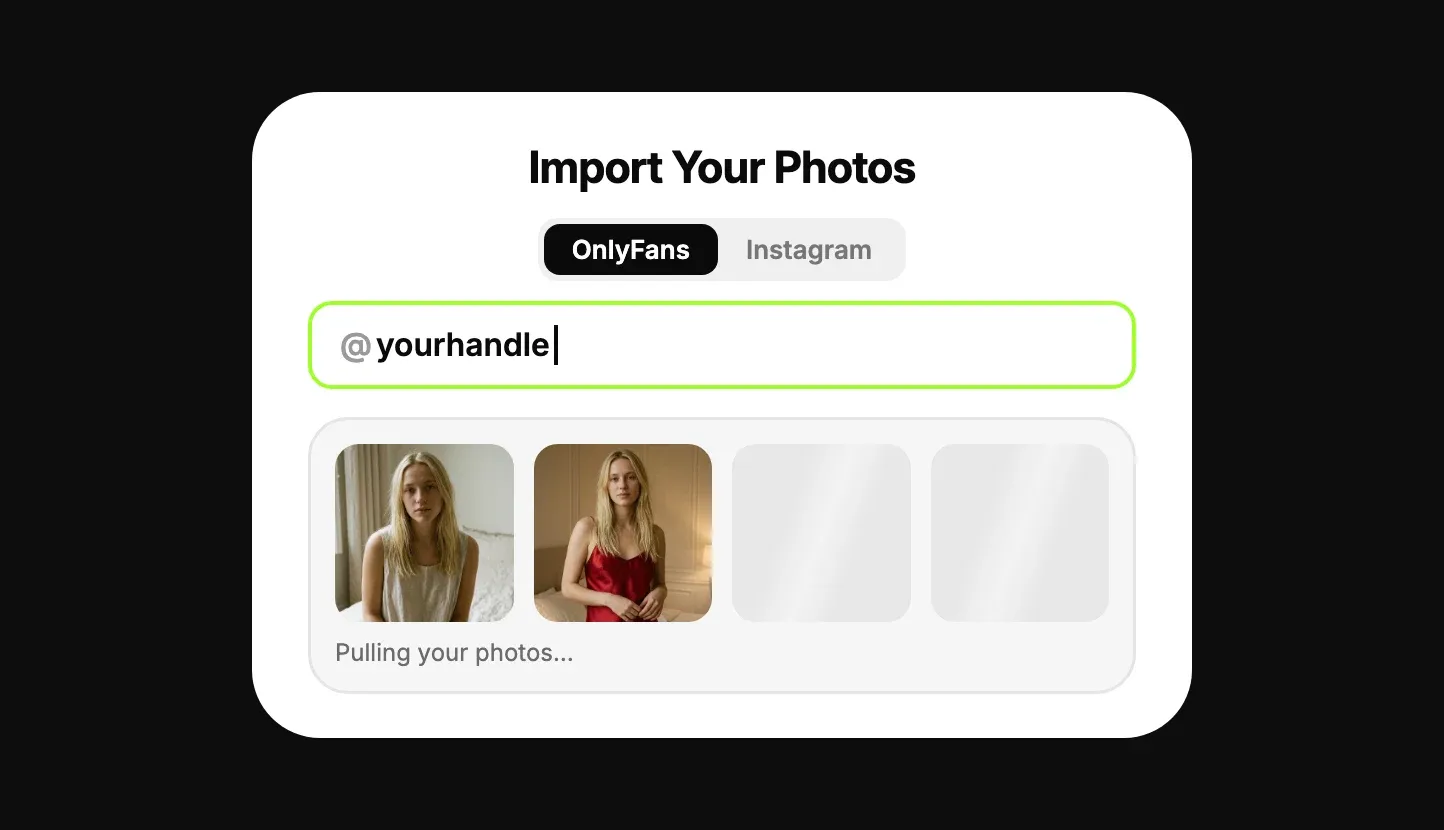
This image comes from FansCreator’s own site and shows the import step for your own likeness. You pick OnlyFans or Instagram, type the handle, and the studio pulls reference photos to train on. The picture is the product’s illustration of the flow, not a capture from a live customer account.
Is it safe to use AI for OnlyFans?
It is safe for your account if you follow the rules of the platform you post on. The OnlyFans Terms of Use, last updated October 2026, allow AI content only if it clearly features the verified creator and carries a signifier such as #ai or #AIGenerated. The OnlyFans Help Centre lists accounts that are wholly AI-generated as content you cannot share. Both clauses are as quoted on FansCreator’s policy page, last verified in October 2026.
In practice, every OnlyFans AI creator has to be a real, verified person posting labelled AI content of themselves. An invented persona does not qualify, however clearly it is labelled. Fanvue treats AI creators as a verified category and MYM allows AI accounts with an AI badge, while Fansly bans photorealistic AI even with a label. FansCreator keeps the full clauses on its OnlyFans AI content policy page.
The tool adds its own guardrails. It blocks real people without their consent, celebrities included, and anyone underage, and it never posts for you, so nothing reaches an account until you upload it. We know of no independent security audit of FansCreator, so judge it on the setup described here.
Pricing
FansCreator has three paid plans: Starter at $29 a month with 300 credits, Basic at $99 with 1,500 credits, and Pro at $299 with 5,000 credits. Yearly billing costs ten times the monthly price, and Enterprise is priced on request. Current plans are listed on FansCreator pricing. Plan credits reset every month and don’t roll over, while top-up packs of 250 credits for $29, 750 for $79 and 2,000 for $199 never expire.
Credit costs come from FansCreator’s published rates. A photo of a new persona costs 2 credits and a photo of your own likeness costs 4, while a Wan 3.0 video costs about 4.55 credits per second at 720p, so a 10-second clip is about 46 credits. Here is one original persona’s first month on the Basic plan, launched on Fanvue.
| Basic plan, one new persona, month one | Items | Credits each | Credits |
|---|---|---|---|
| Test shots while settling the look | 50 | 2 | 100 |
| Launch library, two to three weeks | 250 | 2 | 500 |
| Teaser videos, 10 seconds at 720p | 10 | 46 | 460 |
| New photos for the rest of the month | 150 | 2 | 300 |
| Total used | 1,360 | ||
| Left for retries or 3 more videos | 140 |
At $99 for 1,500 credits, one credit costs about 6.6 cents, which puts a persona photo near 13 cents and a 10-second 720p video near $3. The same 1,500 credits buy only 375 photos of your own likeness, because those cost double. Starter’s 300 credits cover about 150 persona photos, with low-resolution video only and no full-resolution downloads, so it suits testing more than launching.
Who it’s for, and who should skip it
It suits verified creators who want more sets of themselves, labelled as AI, without more shoots. It also suits agencies that run original personas on Fanvue or MYM and want each face to stay consistent across hundreds of images. Teams that script their work will be able to batch content for several models once the API and MCP access ship.
Skip it if your plan is an invented persona earning on OnlyFans, because the platform removes those accounts. Skip it too if you need content posted and scheduled for you, since FansCreator only generates the files and leaves the posting to you. If you only want to change existing photos, our AI face swap or NSFW AI image generator pages cover narrower tools. For motion, see the NSFW AI video generator.
Pros and cons
Pros
- Keeps the same face across every photo and video, which is the hard part of AI content
- Two starting points, an original persona from trait controls or your own likeness from your OnlyFans or Instagram handle
- Credit prices are published per model and shown again before every generation
- Downloads come formatted for each platform, with AI captions
- Blocks real people without consent and anyone underage
Cons
- OnlyFans removes wholly AI-generated accounts, so an original persona has to run on Fanvue or MYM instead
- The $29 Starter plan limits video to low resolution and has no full-resolution downloads
- Monthly plan credits don't roll over, and video uses credits quickly, about 46 per 10-second 720p clip
- It never posts or schedules for you; every file is downloaded and uploaded by hand
- A photo of your own likeness costs 4 credits, double the price of a new-persona photo
Frequently Asked Questions
Short answers to the questions agencies ask most.
How to make an AI OnlyFans account that stays within the rules?
On OnlyFans, the model has to be you. Train FansCreator on your own likeness from your handle, generate new sets, and put #ai or #AIGenerated in each caption, because the OnlyFans Terms of Use require AI content to clearly feature the verified creator and carry a label. If you want an original persona instead, open a Fanvue or MYM account under your own verification and post it there with the AI label each platform asks for.
Can an OnlyFans AI model with an invented face earn on OnlyFans?
No. Under the OnlyFans Terms of Use updated in October 2026, AI content must clearly feature the verified creator, and the OnlyFans Help Centre lists accounts that are wholly AI-generated as content you cannot share. A label does not change that. An invented persona earns through the same channels, subscriptions and pay-per-view messages, on Fanvue or MYM, which accept AI creators with disclosure.
How many credits does one AI model need per month?
It depends on the mix. On the Basic plan, 1,500 credits buy roughly 750 photos of a new persona, 375 photos of your own likeness, or about 32 videos of 10 seconds at 720p. A launch month with 450 photos and 10 short videos uses around 1,360 credits. Video is the expensive part, so plan it first and fill the rest with photos.
Is AI only fans content labelled for subscribers?
Yes, on every platform that allows it. OnlyFans asks for #ai or #AIGenerated on AI posts of the verified creator. Fanvue shows an AI tag on AI creator profiles, and MYM adds an AI profile badge and asks for an AI label on posts. Fansly does not allow photorealistic AI at all, even with a label, so leave it out of your plans.
Can one account run several AI OnlyFans models?
Yes, within plan limits. Starter covers 1 creator, Basic covers 5 and Pro covers an unlimited number, with 1, 1 and 5 team seats. Each extra persona costs credits rather than photoshoots, which is why agencies use it for several niches. Remember that only your own likeness can post on OnlyFans; the original personas go to Fanvue or MYM.
Does FansCreator post to my account?
No. FansCreator never connects to your account to post. You download every photo and video, check it, add the AI label and upload it yourself. That keeps a human review step in front of every post. It also means scheduling is your job, either by hand or with another tool.
Verdict
FansCreator's AI OnlyFans model tool is a good fit if you are a verified creator who wants more content of yourself without more shoots, or an agency running original AI personas on Fanvue or MYM. The Basic plan at $99 covers one model's first month with room to spare. It is the wrong tool if your plan depends on a wholly AI persona earning on OnlyFans, because OnlyFans no longer allows those accounts.
Best for: Building a consistent AI influencer from scratch