
Fans API · No-code automation
OnlyFans n8n Integration by Fans API
TL;DR
- The OnlyFans n8n integration is a verified n8n node, listed as "OnlyFans API", that reaches every Fans API endpoint from n8n Cloud or your own server.
- Setup takes an "Install node" click by the instance owner and one credential with your Fans API key. Each uncached call costs 1 credit.
- Skip it if nobody on your team wants to build branching workflows or look after an n8n instance. A simpler trigger-and-action tool will fit better.
- Price
- Fans API plans: free, $69 or $299/mo
- Product
- Fans API
- Platforms
- n8n Cloud or a self-hosted n8n instance; OnlyFans and Fansly accounts connected to Fans API
- Free trial
- Fans API has a free plan with 100 welcome credits; n8n is billed separately
What the OnlyFans n8n integration is
The OnlyFans n8n integration is a verified n8n node from Fans API. It lets you call any Fans API endpoint inside an n8n workflow without writing HTTP requests. You run it on n8n Cloud or on your own server, connect it with one API key, and build automations across all the creator accounts you have linked to Fans API.
Inside n8n the node is listed as “OnlyFans API”, the product’s former name. The Fans API docs call it their most actively maintained integration and recommend it for complex, multi-step work. It belongs to our OnlyFans automation category. Agencies that want simpler tools should also read about the OnlyFans Make integration and the OnlyFans Zapier integration.
Key features
Most of what sets n8n apart comes from n8n itself: branching, loops and the option to host it, while the Fans API node adds full endpoint coverage on top.
Every endpoint in one node
The node supports every endpoint in the Fans API, according to the official docs. You choose a resource, such as account, statistics or tracking links, and then an operation, such as list accounts or get subscriber statistics. When Fans API ships new endpoints, they arrive through node updates, which you apply from the Community nodes page.
Self-hosted or n8n Cloud
You can use n8n’s own hosted service, a one-click host such as Hostinger or DigitalOcean, or a server you install yourself. The node works the same way on each. Self-hosting keeps the workflow logic and any intermediate data on infrastructure you control, which some agencies prefer for fan and revenue data.
Install once, share with the team
Only the instance owner can install verified community nodes. The owner opens the nodes panel with “+” or Tab, searches for OnlyFans API and clicks “Install node”. After that, every member of the instance can drop the node into their workflows. On Docker you can update it with npm update @onlyfansapi/n8n-nodes-onlyfansapi from the container shell.
One credential for all workflows
The connection is a single n8n credential of type “OnlyFans API”. You create an API key in the Fans API console, paste it into the “API Key” field and save. Every OnlyFans API node in the instance can reuse that credential, so rotating a key is one edit. The full steps are in the n8n setup guide.
Branching and loops across accounts
n8n handles filters, If branches and “Loop Over Items” natively. That matters for agencies, because most useful jobs repeat the same calls for every creator. You can drop accounts that are not authenticated, split one response into many rows, and create or update records depending on what already exists.
Example workflow: daily account stats into Baserow
Fans API publishes a free n8n template called “OnlyFans Account Overview”. It writes revenue and subscriber numbers for each creator into a Baserow table every day. Here is what the real workflow does, node by node, in the order it runs:
- A Schedule Trigger named “Daily at noon” starts the run at 12:00 every day.
- The OnlyFans API node runs the account resource with the List Accounts operation and returns every connected account.
- A Filter node keeps only accounts where
is_authenticatedis true, so expired logins don’t break the run. - A Limit node caps the run at 5 accounts while you test. Remove it once the workflow works.
- “Loop Over Accounts” handles one creator at a time.
- Three OnlyFans API nodes fetch the statistics overview for total revenue, subscriber statistics for 24-hour subs, and the statistics overview again for 24-hour revenue.
- A Baserow node searches the accounts table for a row with the same OnlyFans username.
- An If node checks whether that row exists. If it does, Baserow updates it. If not, Baserow creates it. The loop then moves to the next creator.
A second template, “Tracking Links”, reads the account list back from Baserow, calls List Tracking Links for each account, splits the list into single links and upserts them into a second table. Together they give an agency a daily table of creators and campaigns without anyone logging in to OnlyFans. Both templates and the matching Baserow schemas are linked from the Fans API n8n and Baserow walkthrough.
Screenshot
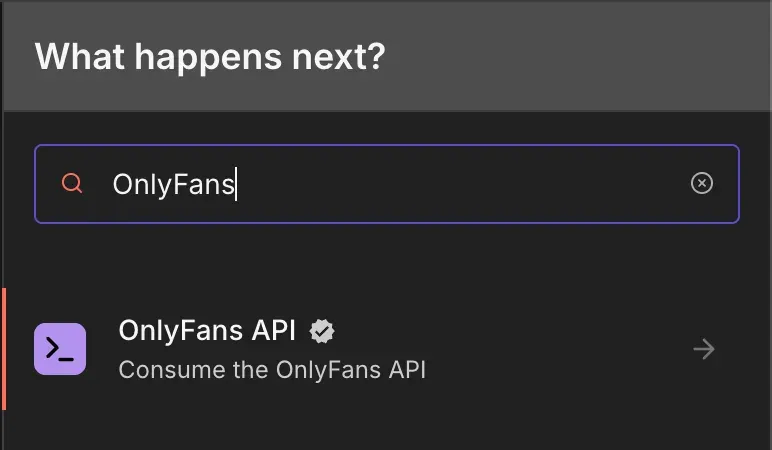
Typing “OnlyFans” into the nodes panel shows the verified OnlyFans API node with the tagline “Consume the OnlyFans API”. Selecting it opens a list of every supported action.
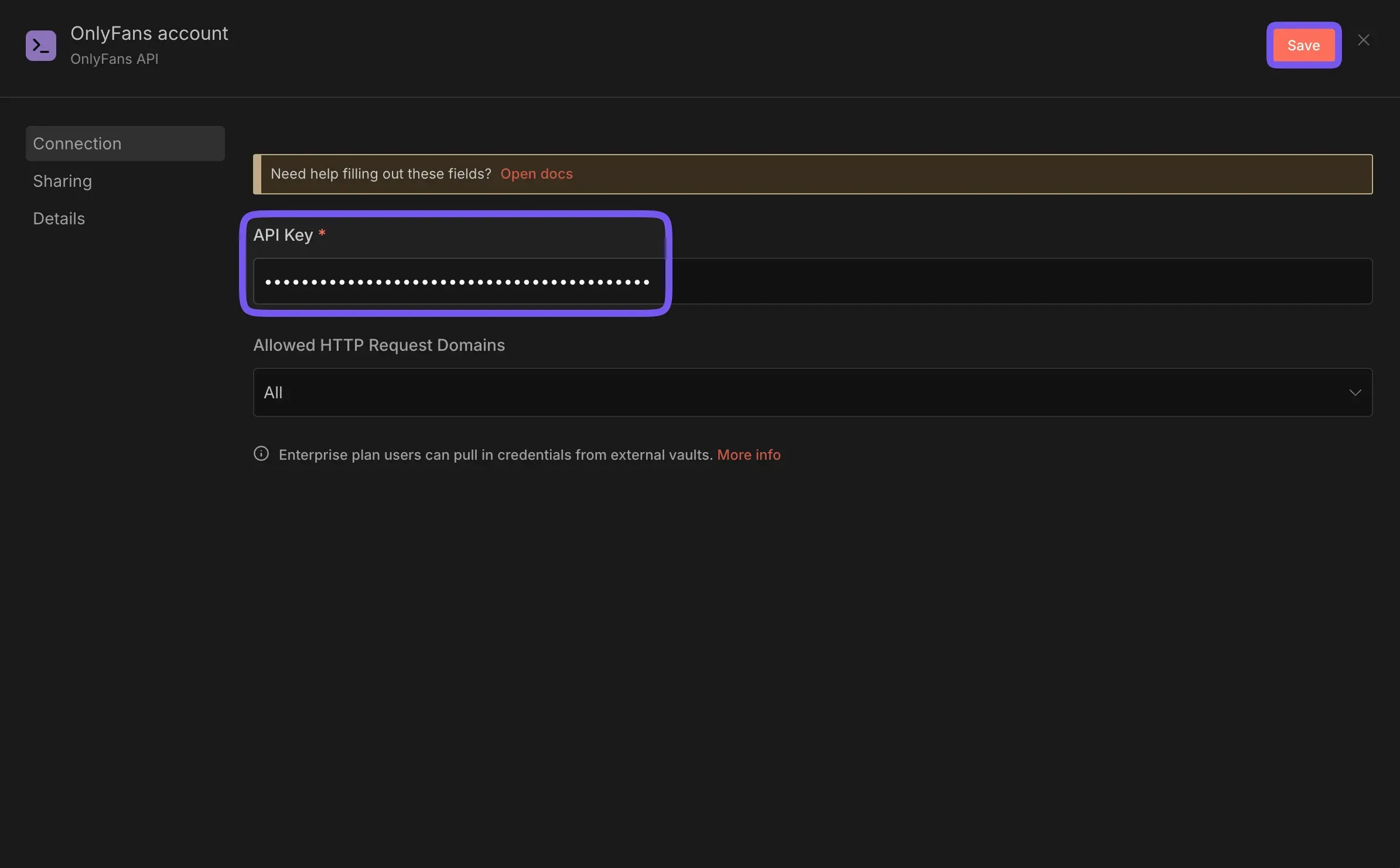
The credential form asks for one value, the API key from the Fans API console. Both images come from the official Fans API docs.
Is the OnlyFans n8n integration safe?
The integration is as safe as the place your n8n instance runs and the way you guard the API key. The node talks to Fans API, and Fans API talks to OnlyFans through the creator accounts you connected. Fans API states that it uses 2FA login with SMS and face authentication, proxy rotation and dedicated mobile proxies, and that it has run for five years without bans. We know of no independent audit of those claims.
Your side of the job is protecting the key, so store it only as an n8n credential, never in a plain text field or a shared workflow export. The credential form also lets you limit “Allowed HTTP Request Domains”, which reduces the damage if a workflow is misused. On a self-hosted instance, keep n8n updated and behind a login, because anyone with editor access can run actions such as sending messages on a creator’s account.
Pricing
The node itself is free, so you pay for Fans API usage and, separately, for n8n Cloud or your own hosting. Fans API plans are Free, Basic at $69 a month and Pro at $299 a month, with Enterprise on request; see Fans API pricing for current terms.
| Plan | Price | Accounts | Requests per minute | Credits |
|---|---|---|---|---|
| Free | $0 | 1 | 60 | 100 welcome credits |
| Basic | $69/mo | 1 | 1,000 | 20,000 a month |
| Pro | $299/mo | 5 included, $29 per extra account | 5,000 | 100,000 a month, +10,000 per extra account |
| Enterprise | Quote | Custom | Custom | Custom |
Every uncached call from the node costs 1 credit, and account-specific endpoints are never cached. Take the Account Overview workflow above for five creators on Pro. Each run makes three statistics calls per creator plus one account list call, so 16 credits a run at most. Thirty daily runs use under 500 credits, about half a percent of Pro’s 100,000. Media downloads at 3 credits per MB are where an n8n loop gets expensive.
Who it’s for, and who should skip it
The OnlyFans n8n integration suits agencies with one technical operator who likes building workflows, even if they don’t write code. It fits daily reporting across many creators, syncing fans or tracking links into Baserow or another database, and multi-step jobs with branches. It also fits teams that want to self-host for cost or data reasons. Developers who prefer code can use the OnlyFans API directly instead.
Skip it if nobody wants to own an n8n instance, or if your automations are a single trigger followed by a single action, because Zapier or Make get those running faster. Skip it too if you are comparing OnlyFans API providers rather than no-code tools.
Pros and cons
Pros
- Covers every Fans API endpoint, and the docs call it their most actively maintained integration
- Verified node, installed from the n8n nodes panel with no custom HTTP requests
- Runs on n8n Cloud or on a server you control, so workflow data can stay in-house
- One saved credential serves every workflow and every member of the instance
- Real workflow templates exist for daily account stats and tracking links in Baserow
Cons
- Only the n8n instance owner can install and update the node
- Self-hosting means you run updates, backups and uptime for n8n yourself
- n8n Cloud or your own server is a separate cost on top of your Fans API plan
- Loops over many accounts use credits and requests fast, so the Free plan's 100 credits and 60 requests a minute run out quickly
Frequently Asked Questions
Short answers to the questions agencies ask most.
Is the OnlyFans n8n node official?
Yes. Fans API publishes the node itself, and it shows a verified badge in the n8n nodes panel under the name "OnlyFans API". The source code is public on GitHub as the n8n-nodes-onlyfansapi package. Because it is a verified community node, the instance owner installs it once with the "Install node" button, and every member can then use it in their workflows.
Does the n8n integration work on n8n Cloud and on self-hosted n8n?
Both. The Fans API docs list n8n Cloud, one-click hosts such as Hostinger and DigitalOcean, and a fully self-hosted install as supported options. The node and the credential setup are the same in each case. On a self-hosted Docker install you can also update the node from the command line with npm.
Which actions does the OnlyFans API node support?
The docs say the n8n node supports every endpoint in the Fans API. That includes accounts, statistics, fans, chats, tracking links, stories and media. In a workflow you pick a resource and an operation, for example the statistics resource with the overview operation, then choose the connected account the call should run against.
How much does an n8n workflow cost in Fans API credits?
Account-specific calls are never cached, so each one costs 1 credit. A daily workflow that makes three statistics calls for each of five creators uses at most 16 credits a run, including the account list call, or under 500 a month. Media downloads and uploads cost 3 credits per MB, and profile search costs 1 credit per result, so check those before you loop over them.
How is n8n different from the Make and Zapier integrations?
The Fans API docs recommend n8n for complex, multi-step automations and call it their most actively maintained integration. Make is described as best for simple visual workflows, and Zapier as best for quick trigger-based setups with a large app library. Choose n8n when you need branching, loops and full control over hosting.
Verdict
The OnlyFans n8n integration is the strongest no-code option in Fans API when your agency wants branching logic, loops over many creators and control over where the workflows run. The node covers every endpoint, so you rarely hit a missing action. The price is effort, because someone has to own the n8n instance and learn its data model. If that person exists, start here.
Best for: Self-hosted OnlyFans automations